schedule companion
See, understand, analyze and report every planning decision, in a few clicks.
Many ways to use it. Each one pays off.
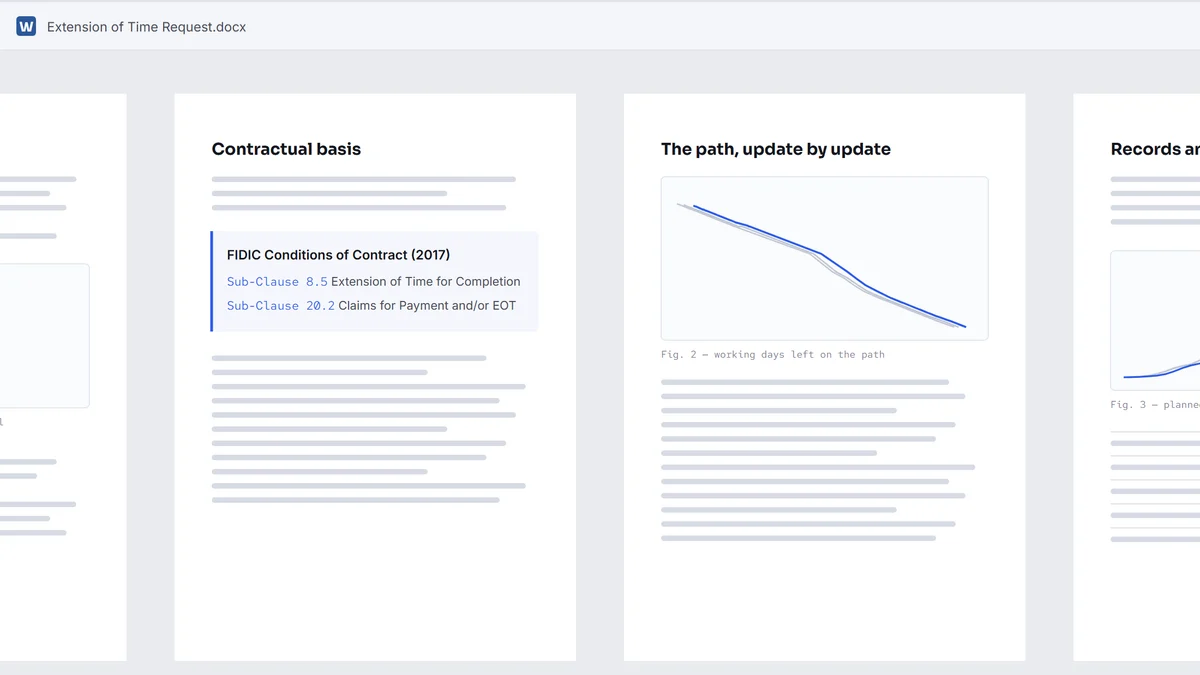
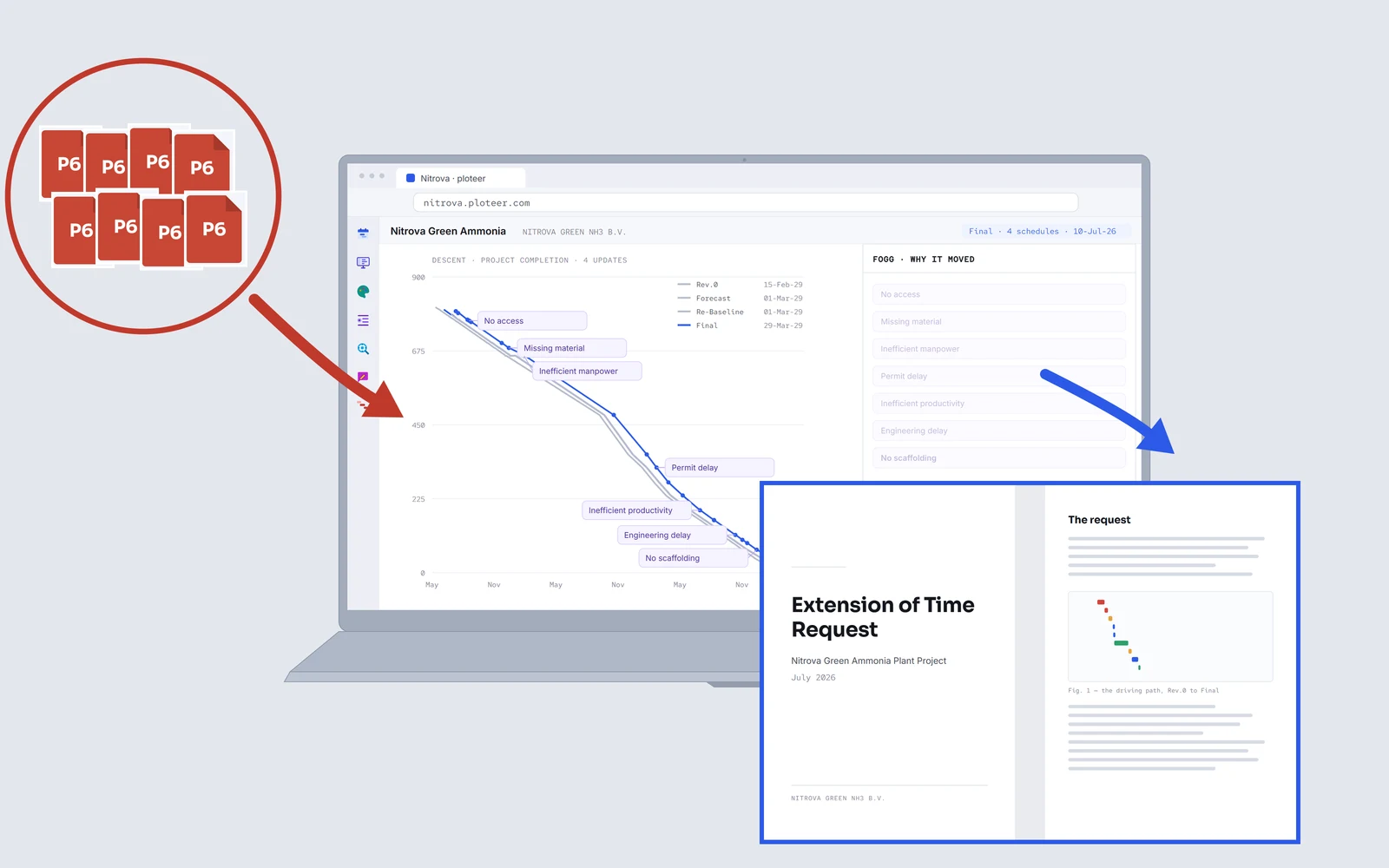 EOT
EOTExtension of time (EOT): request it, review it or challenge it.
Give ploteer the updates, all at once or every time you update. It reads what happened, when, and by whom. Under FIDIC, NEC or the UAV.
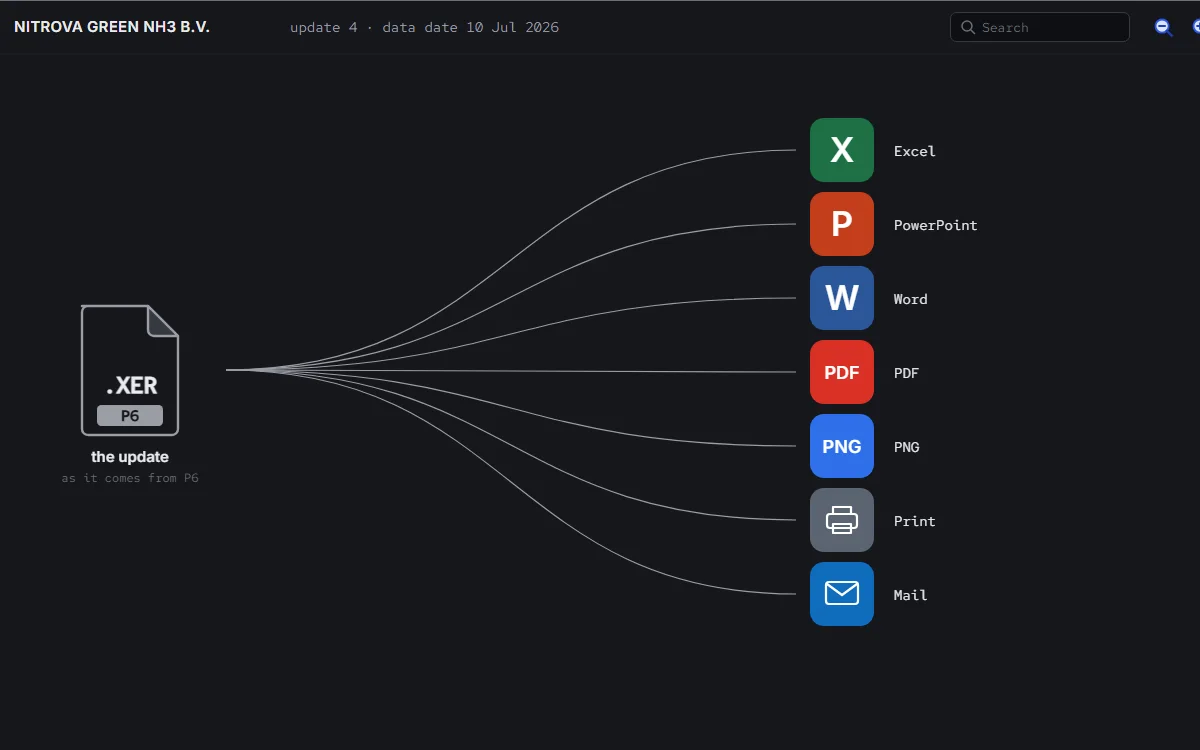 Outputs
Everything you see, board-ready.
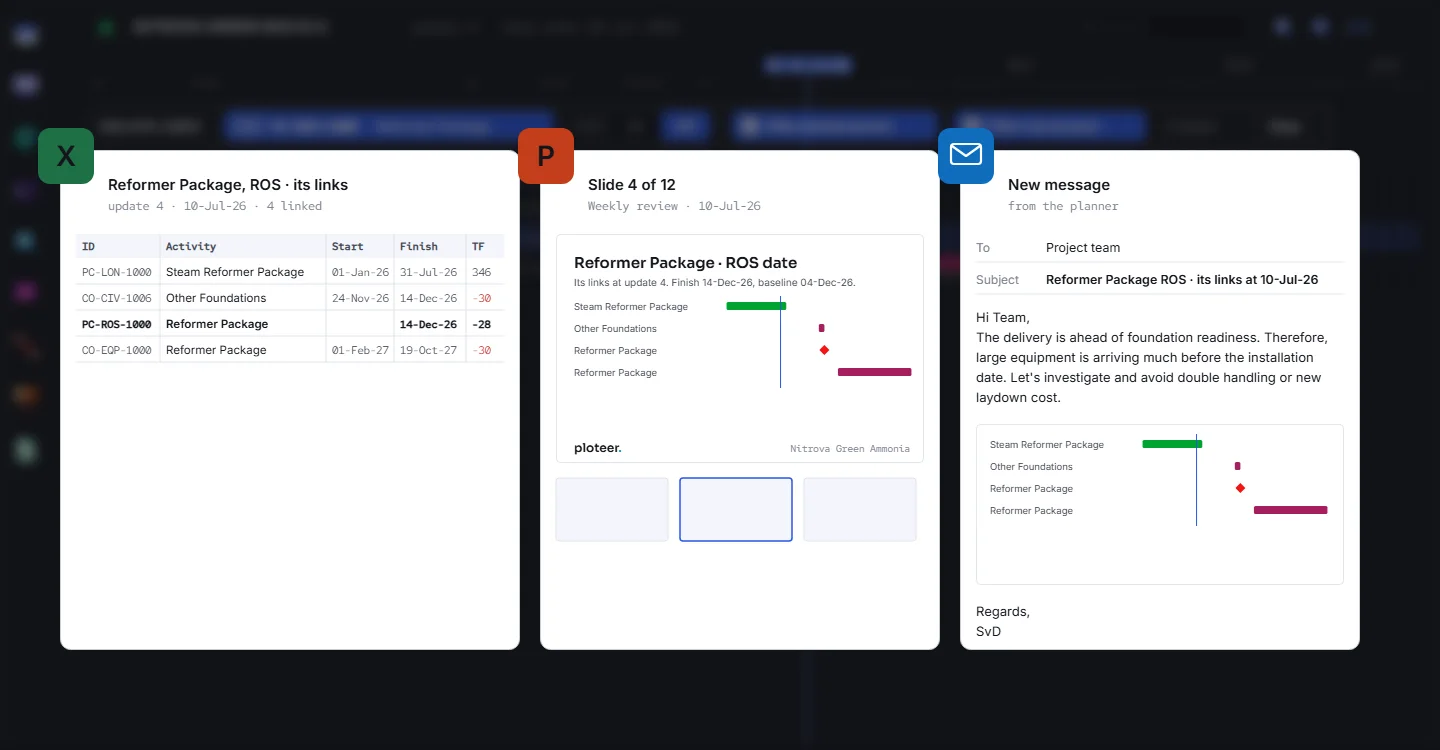
One activity or the whole report, ready to present: as a picture, a table or a presentation file. In seconds.
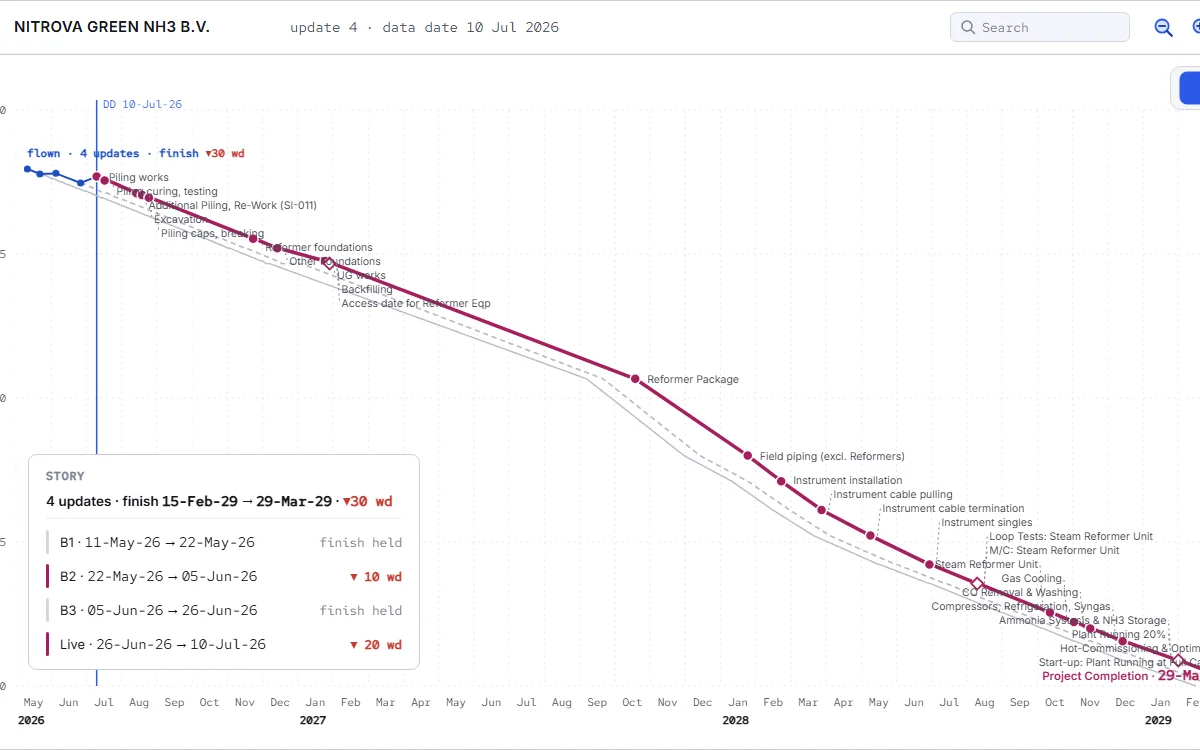 Drivers
Every date has a driver.
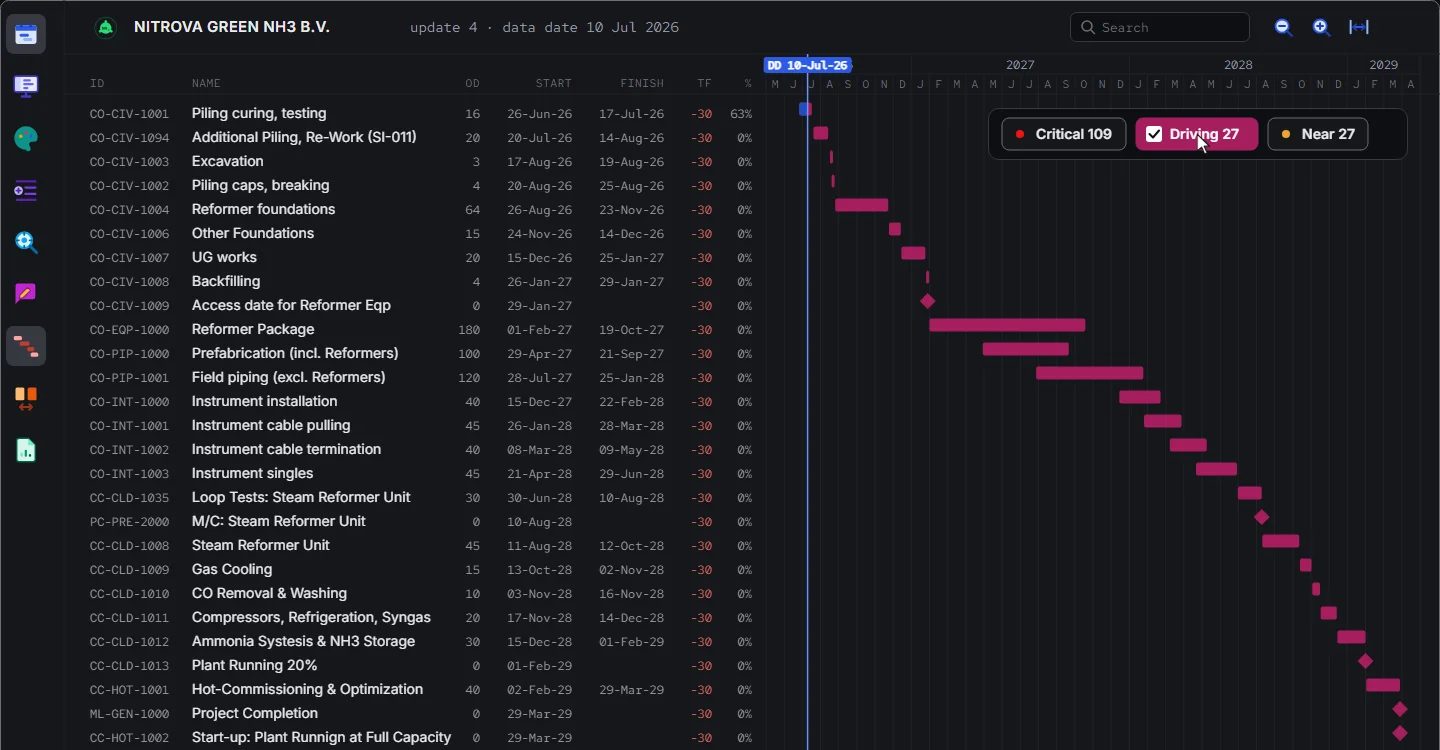
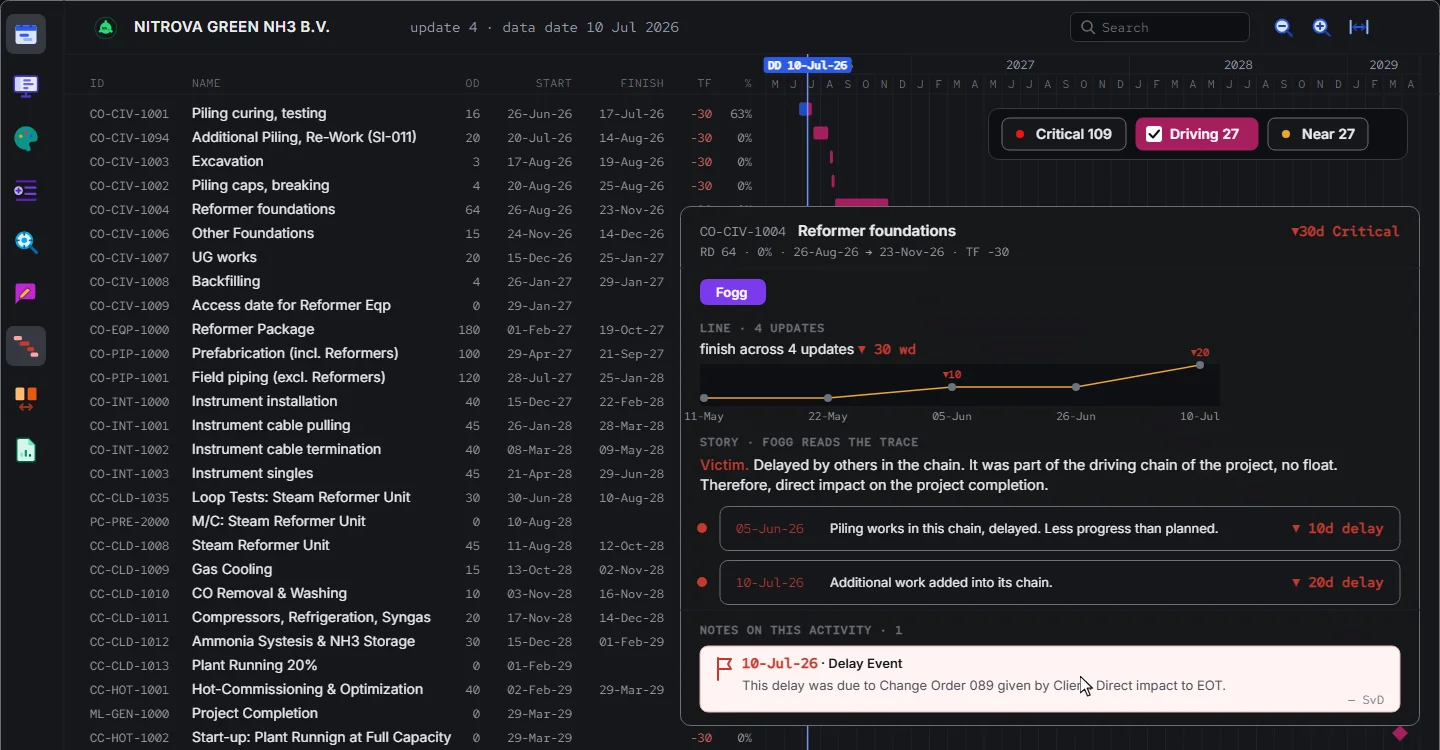
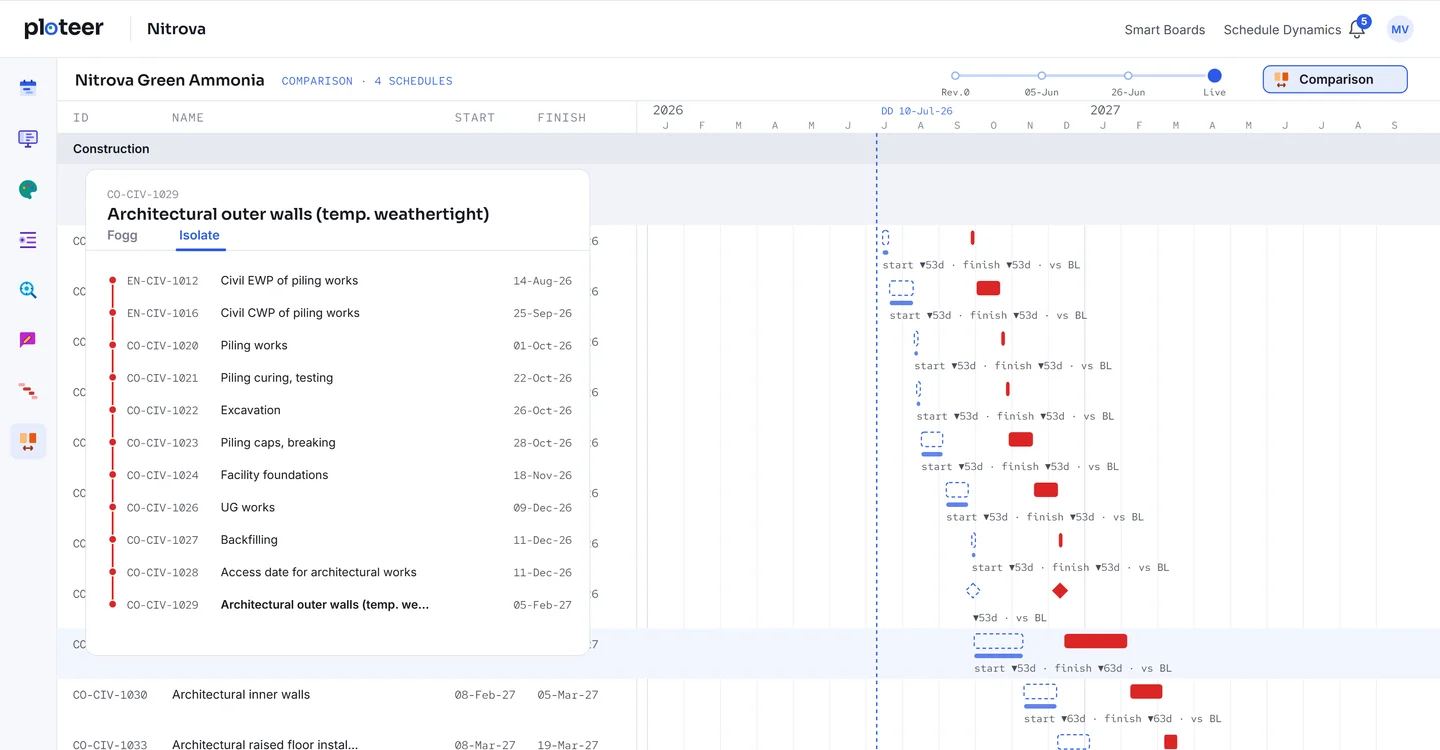
Pick any activity or milestone and get its driving chain right away. And of course the backbone that drives the whole project.
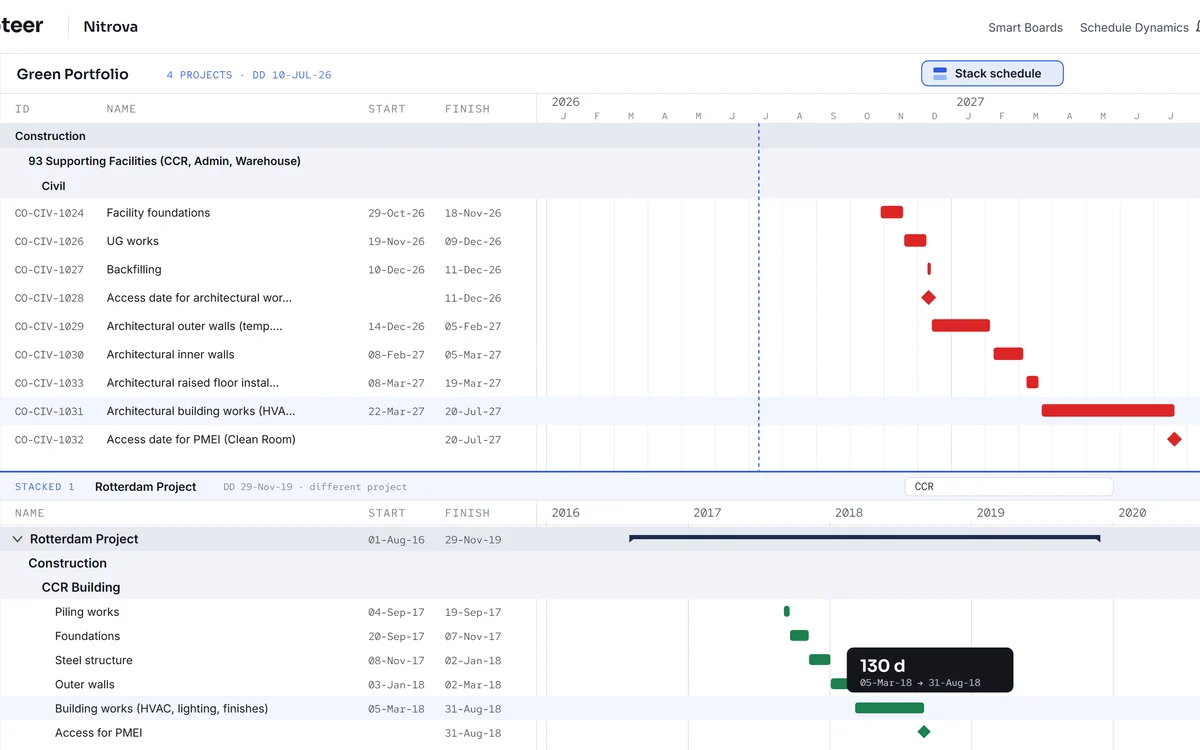 Many schedules
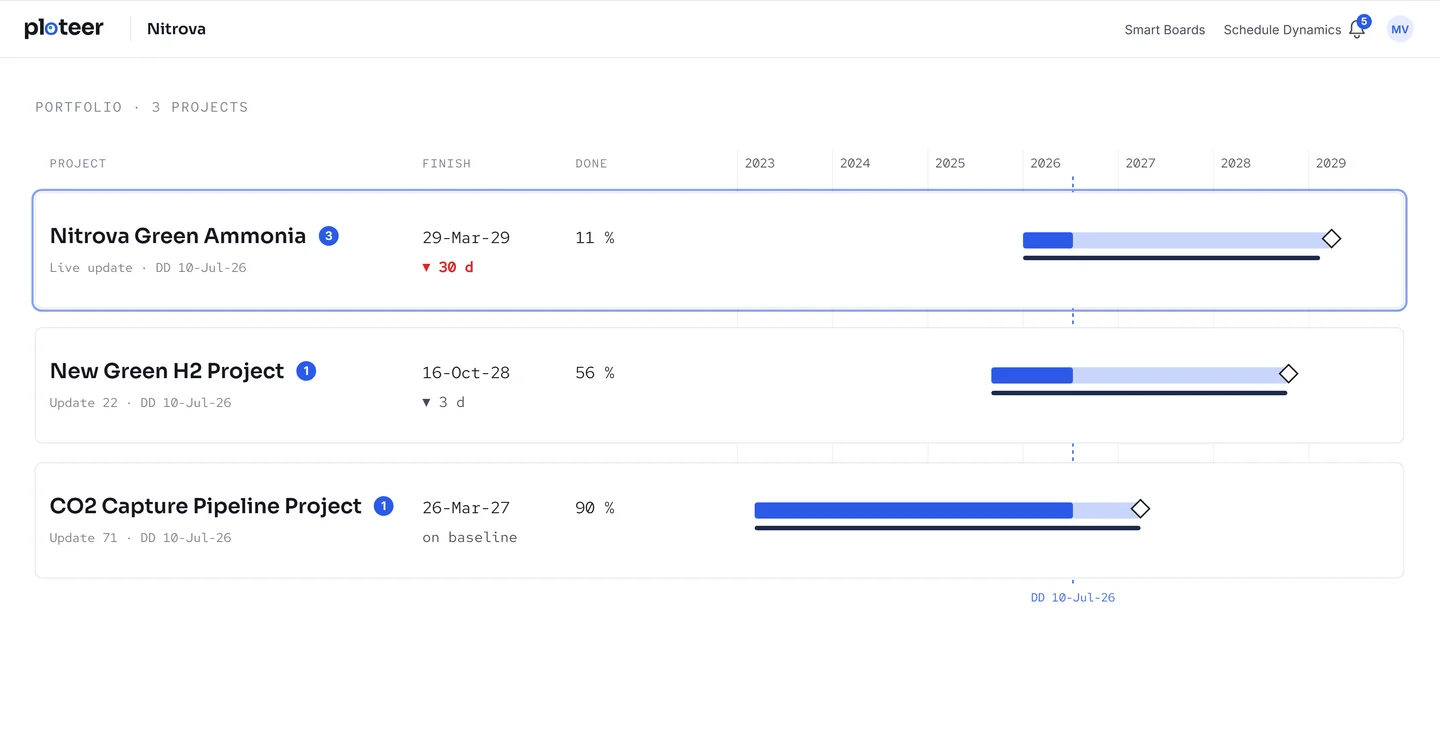
Many schedules, reviewed as one.
Many projects, many submitters, many schedules. All on one screen, all reviewed at ploteer speed.
 Responsive schedules
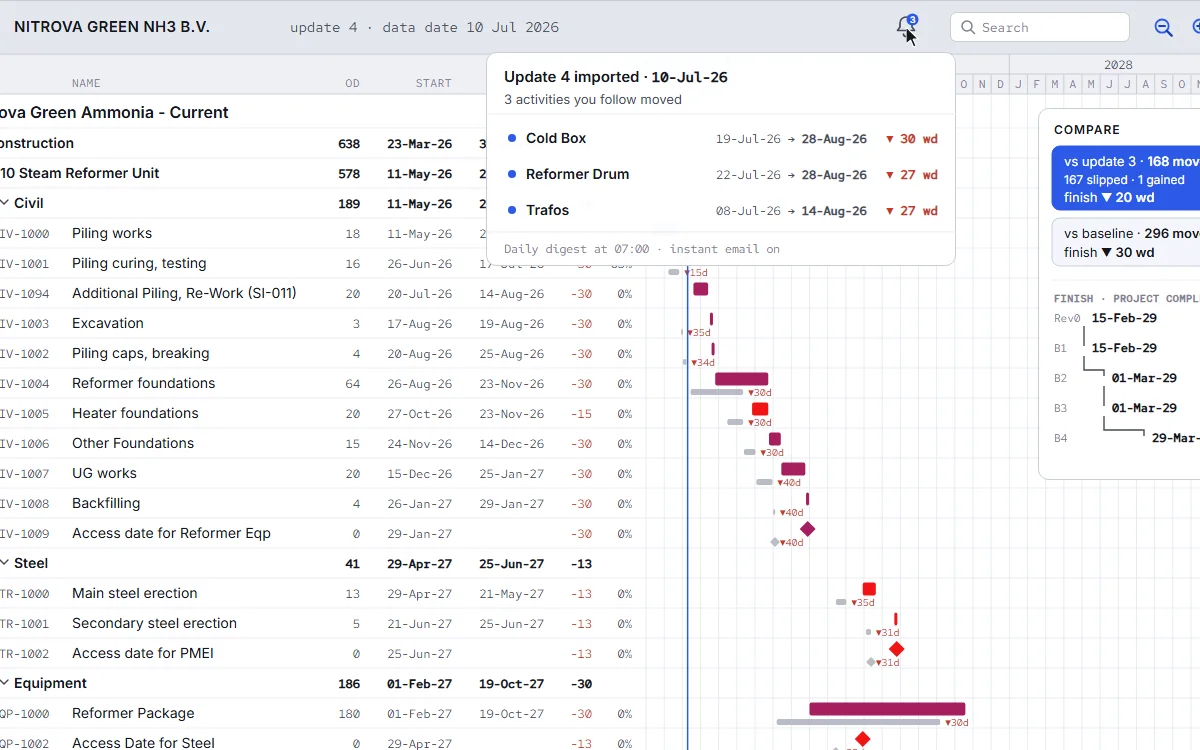
The schedule answers back.
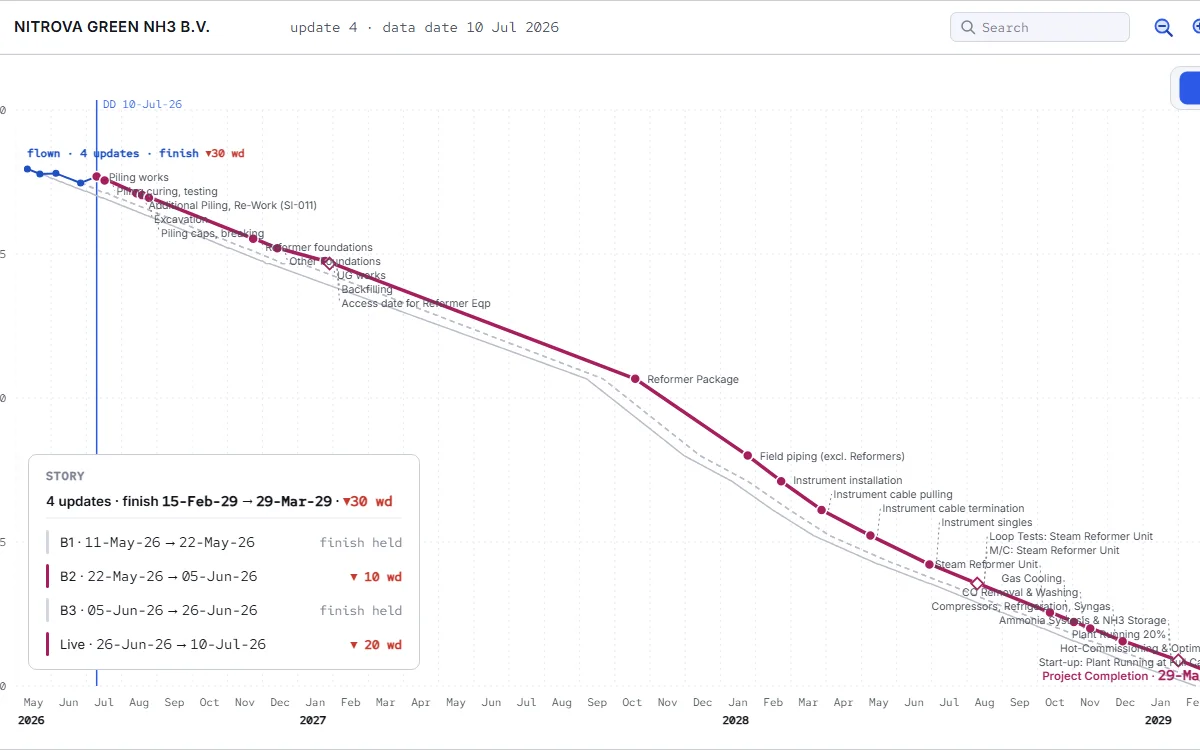
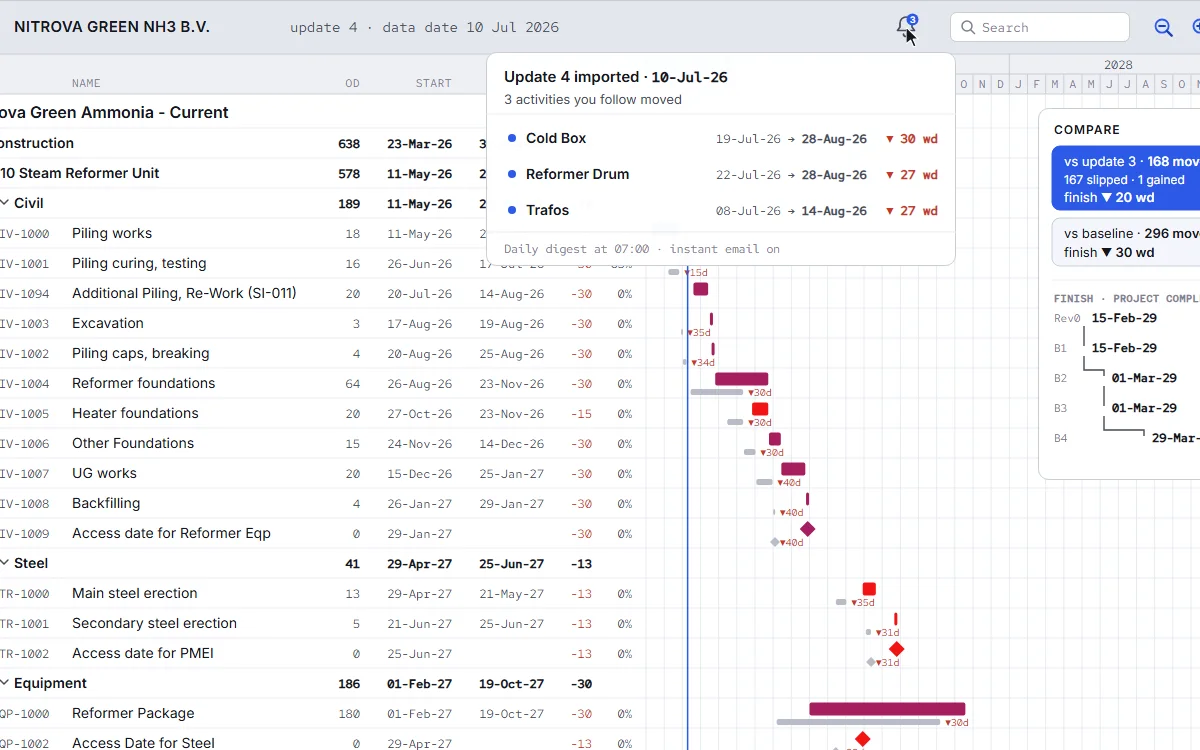
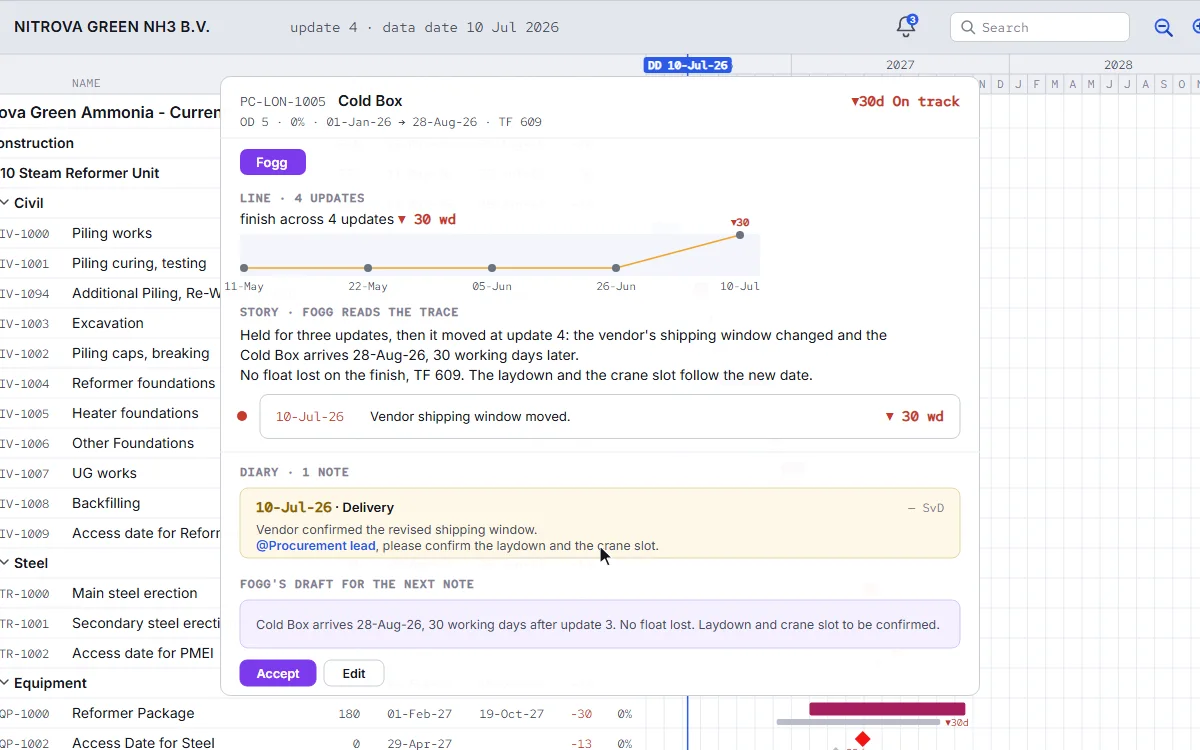
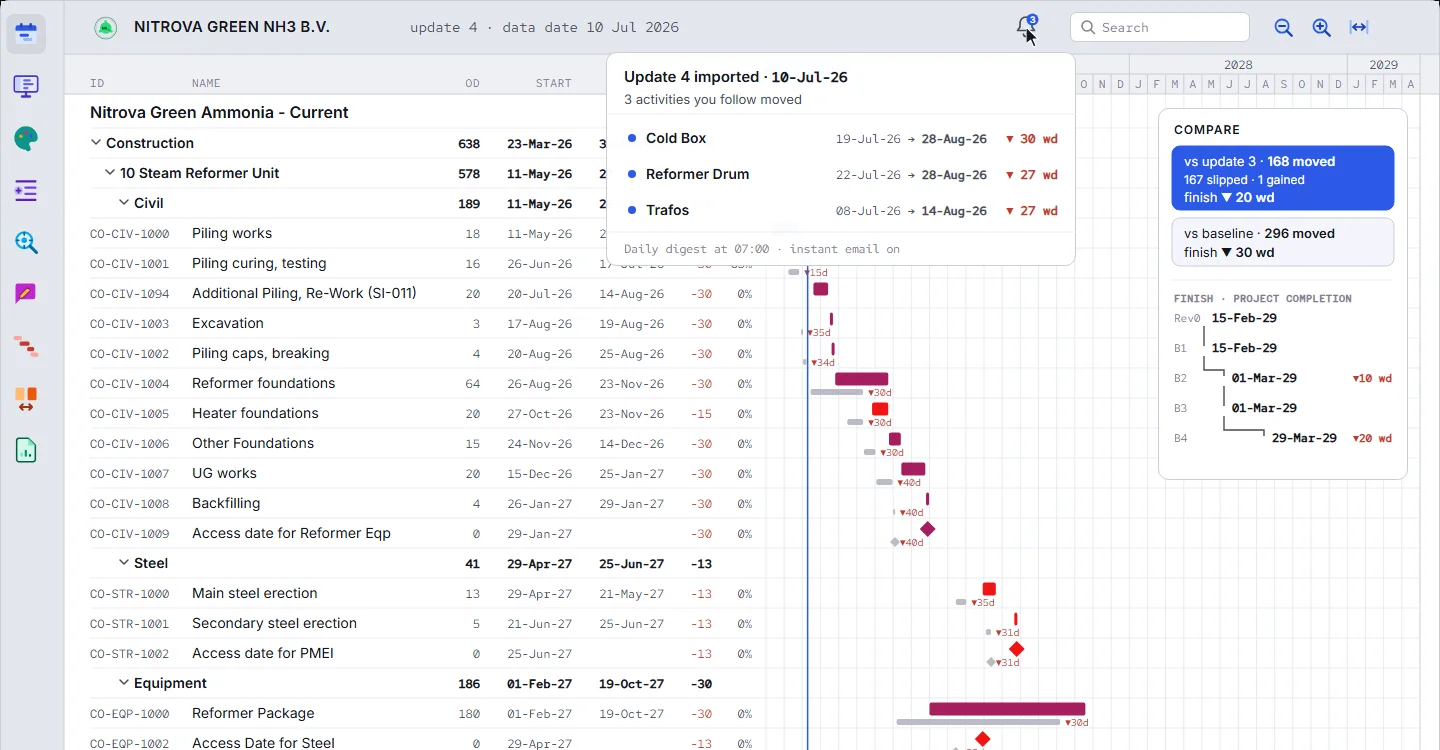
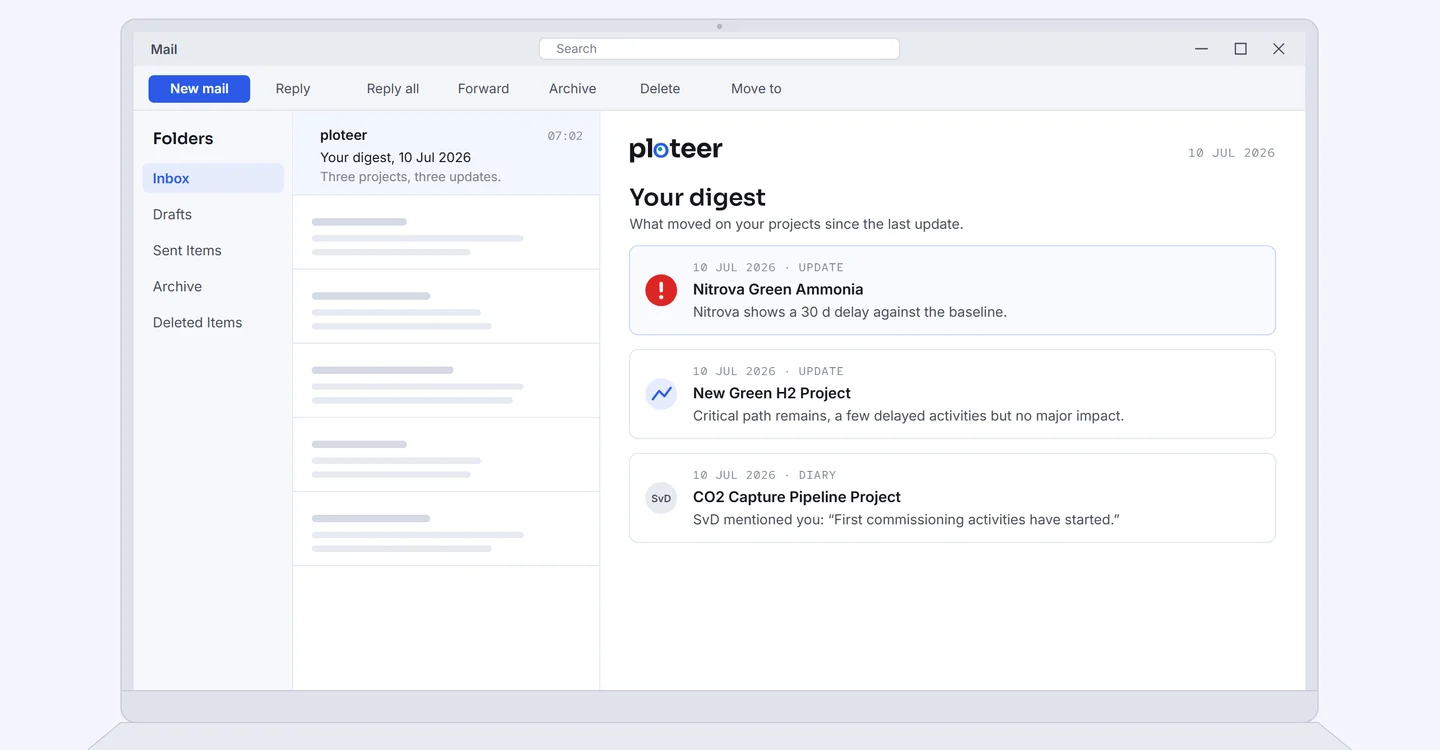
Saved as “Live” or “Current”, every schedule is a snapshot. With ploteer, yours tells you the full story.
 One click
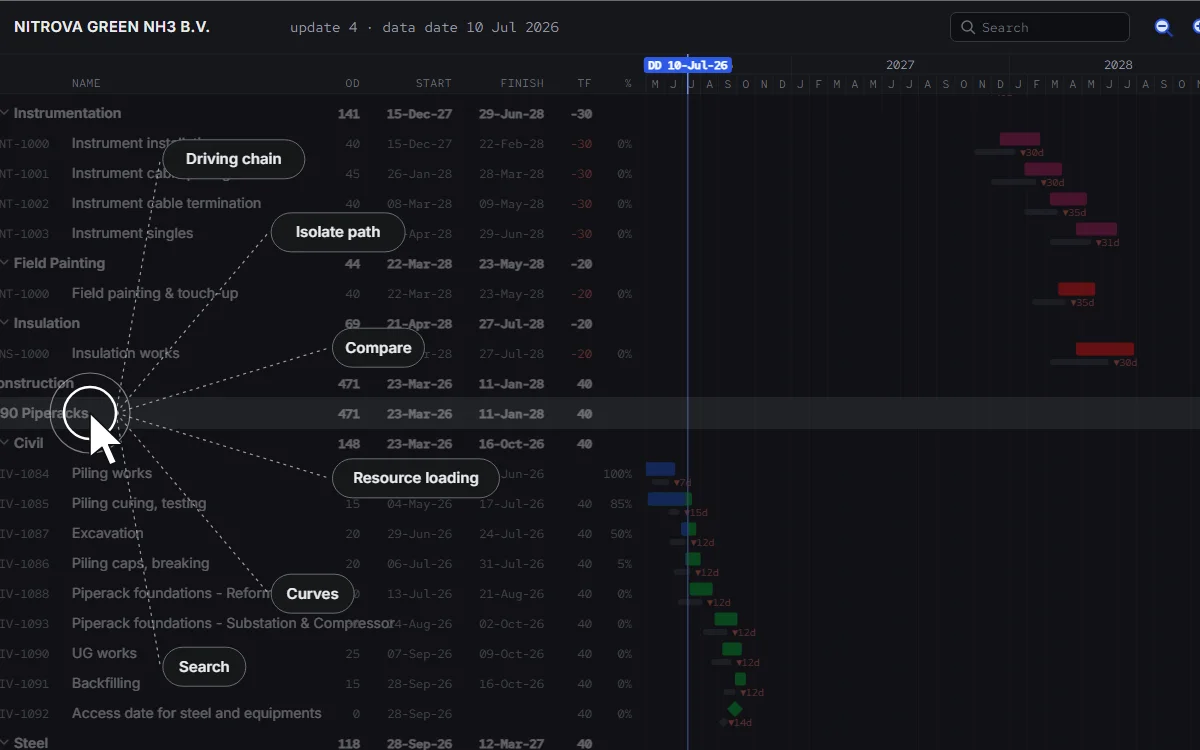
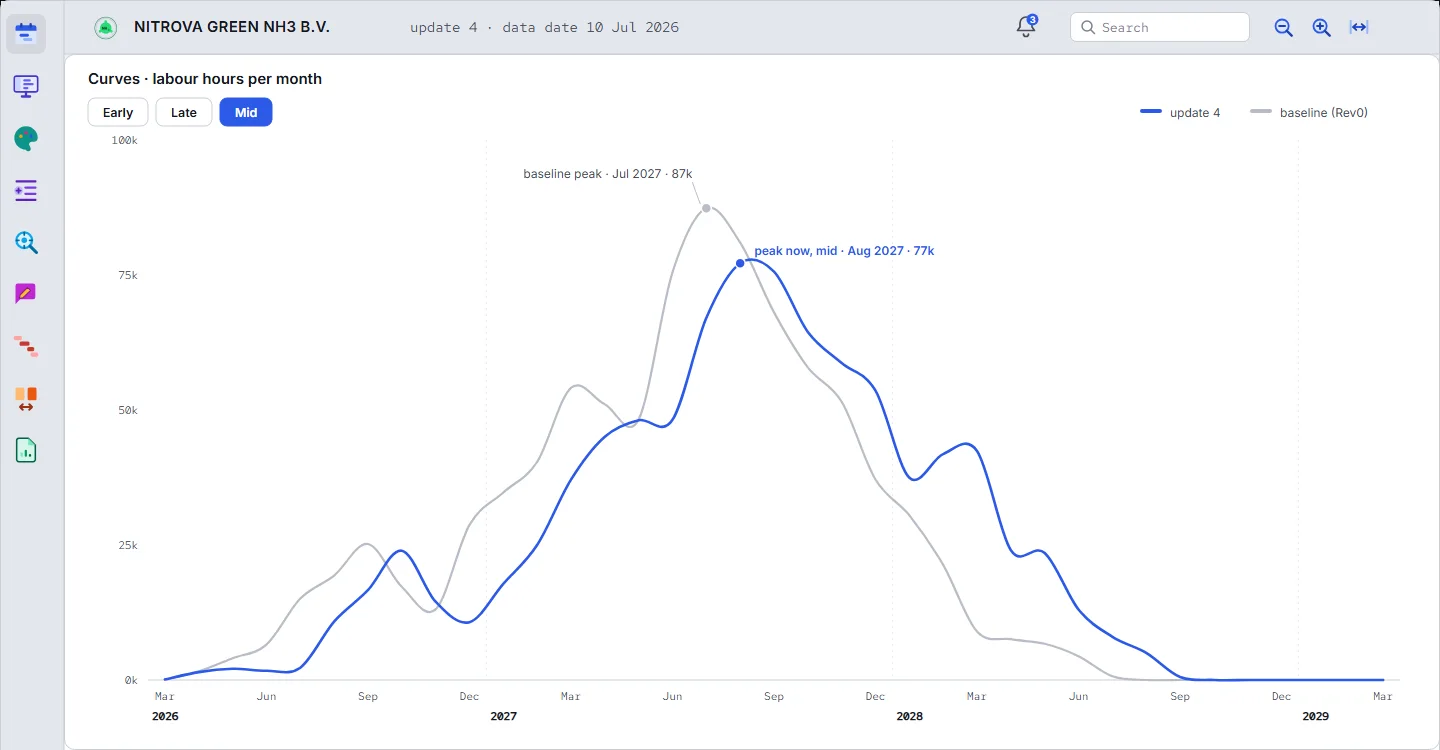
Hours of effort in one click.
Compare, isolate the chain, draw the curves, read the delay notes. Each one is a click on the update you already have.
 One page
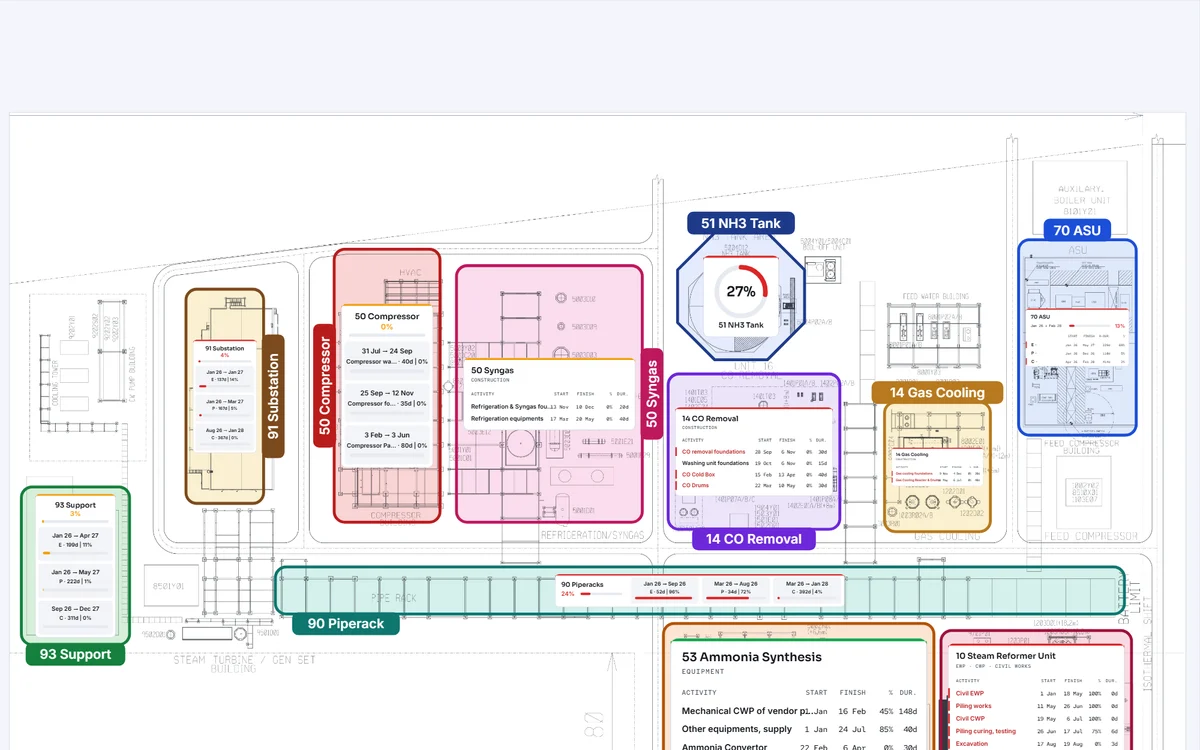
The schedule on one page.
Visualize the project schedule. Put a large, complex schedule study on one page.
Our app
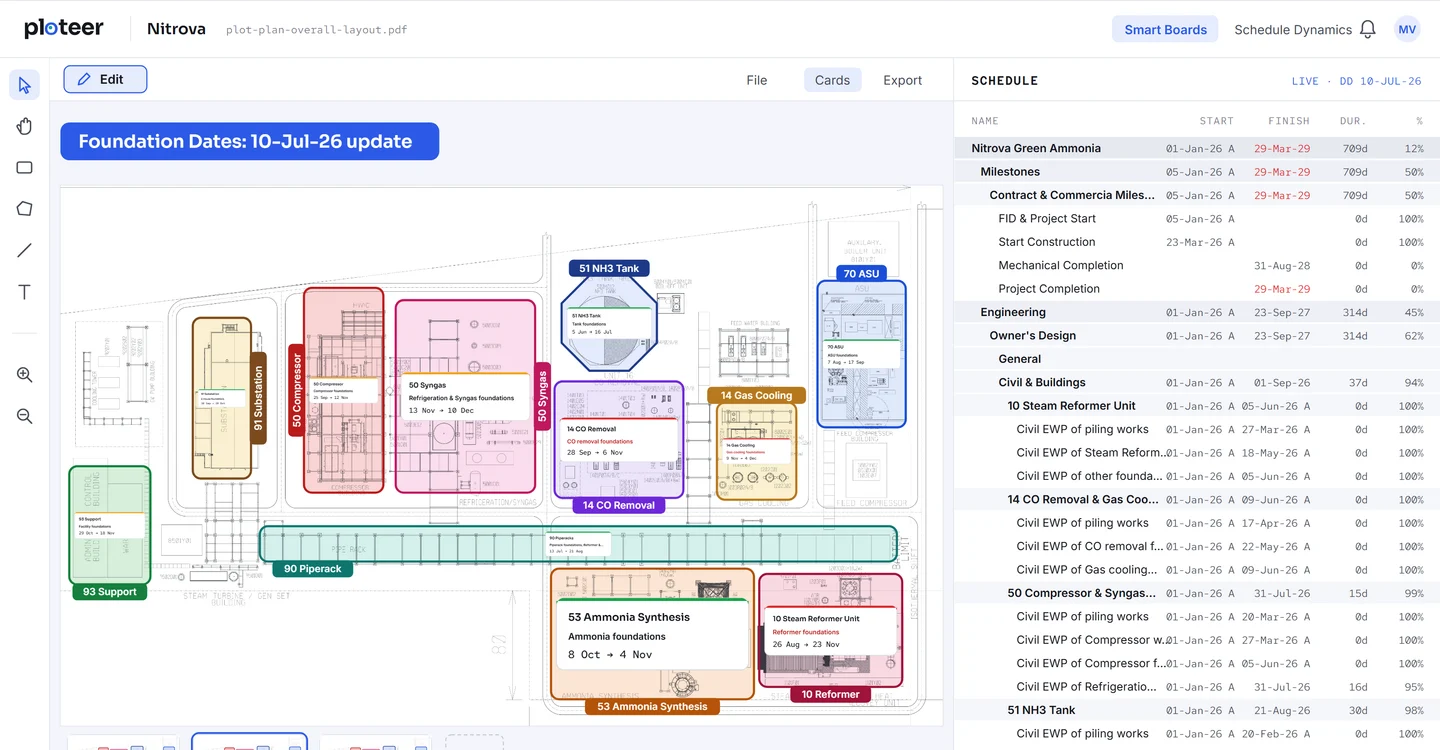
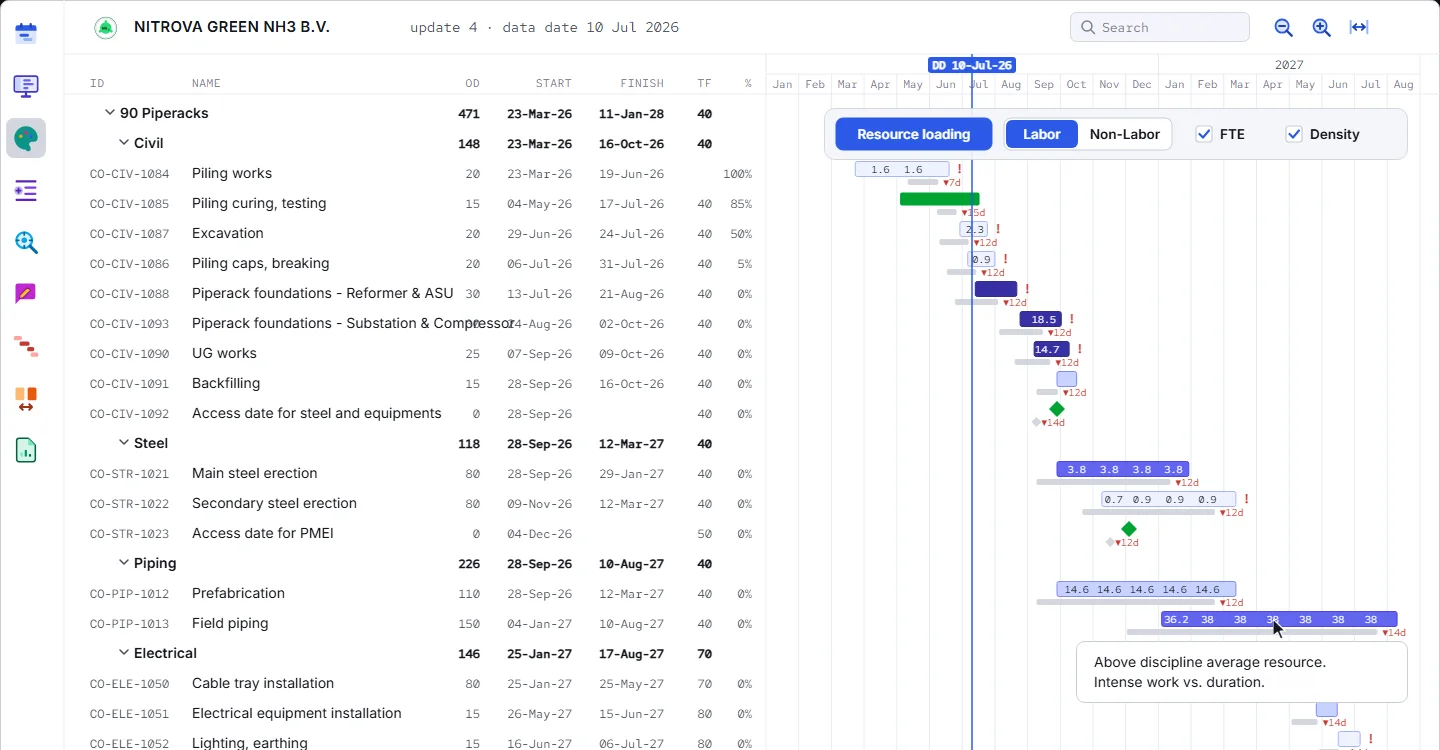
An online app that enhances the traditional planning practice with three perspectives. The plan becomes visible to everyone: visual, simplified, reachable.
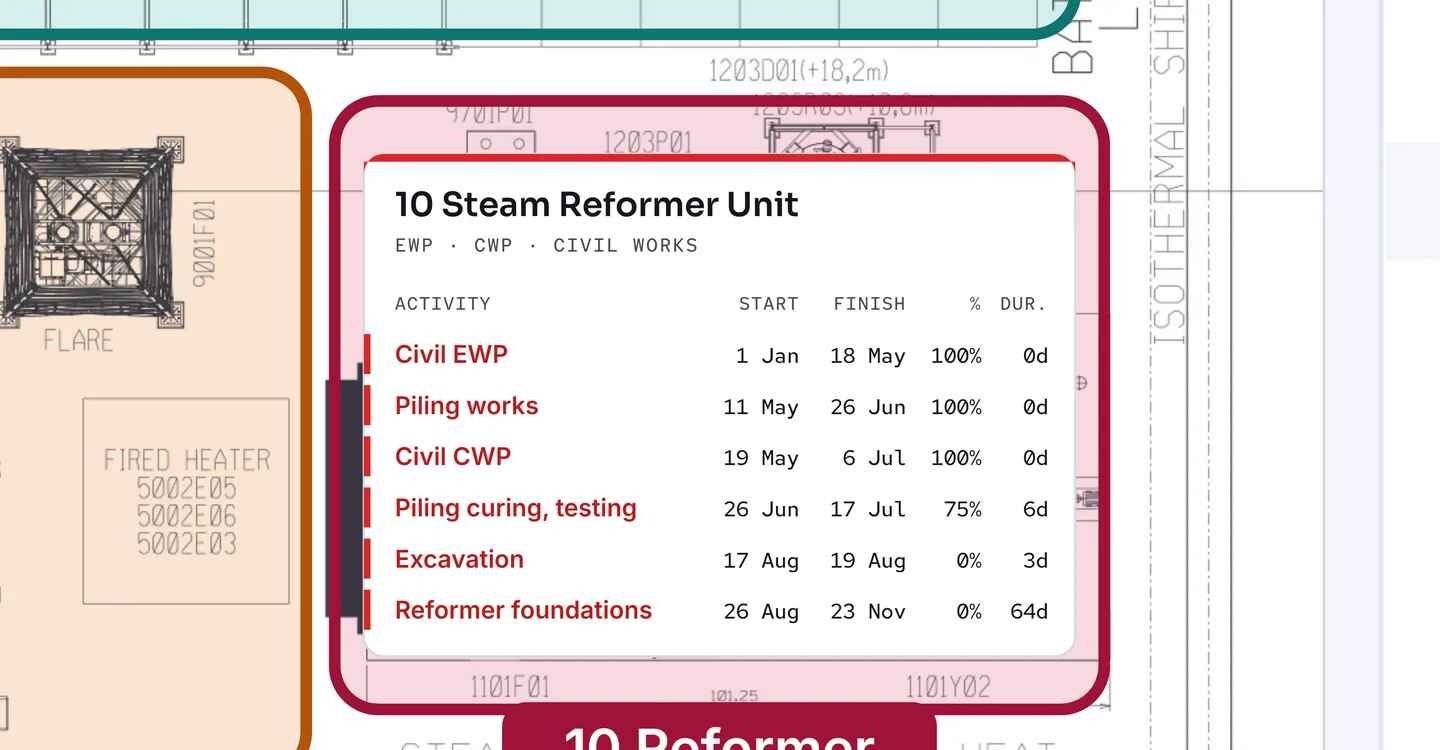
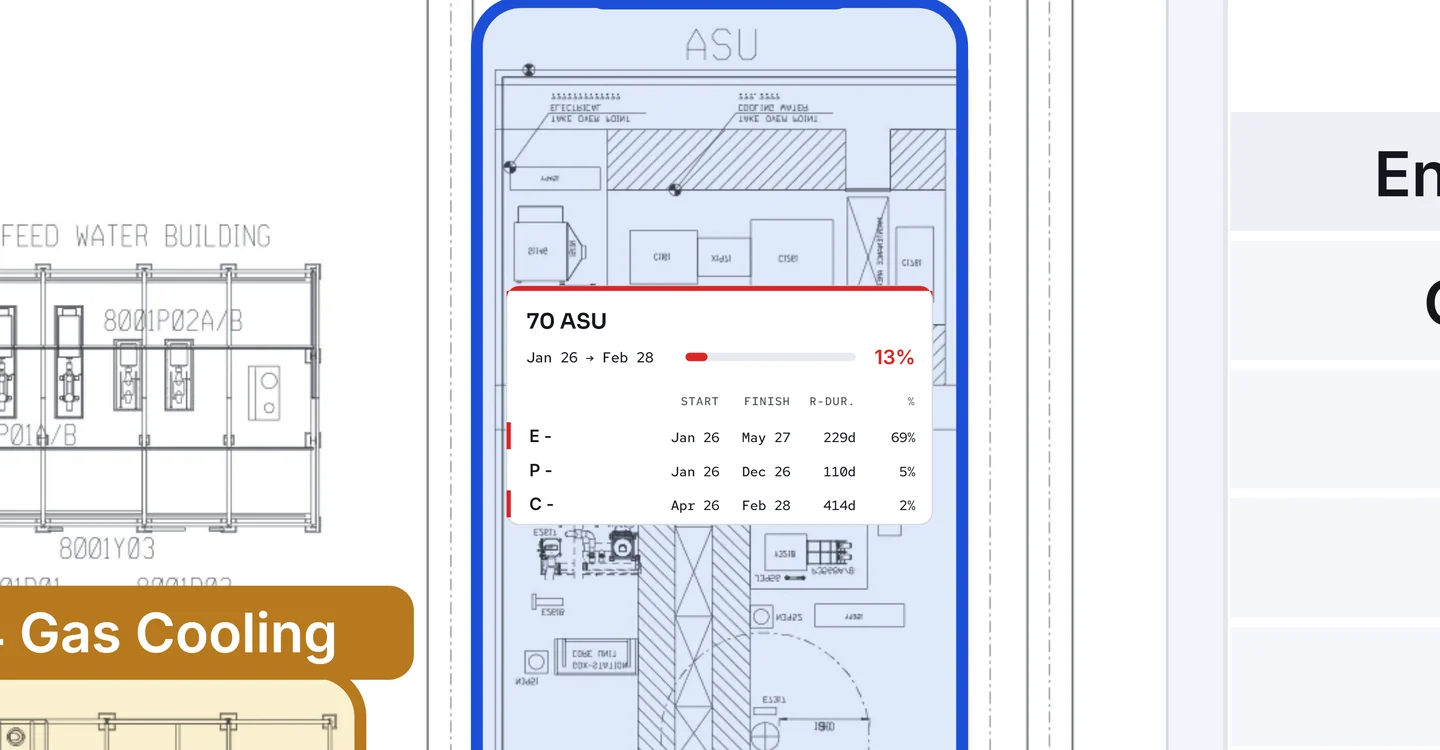
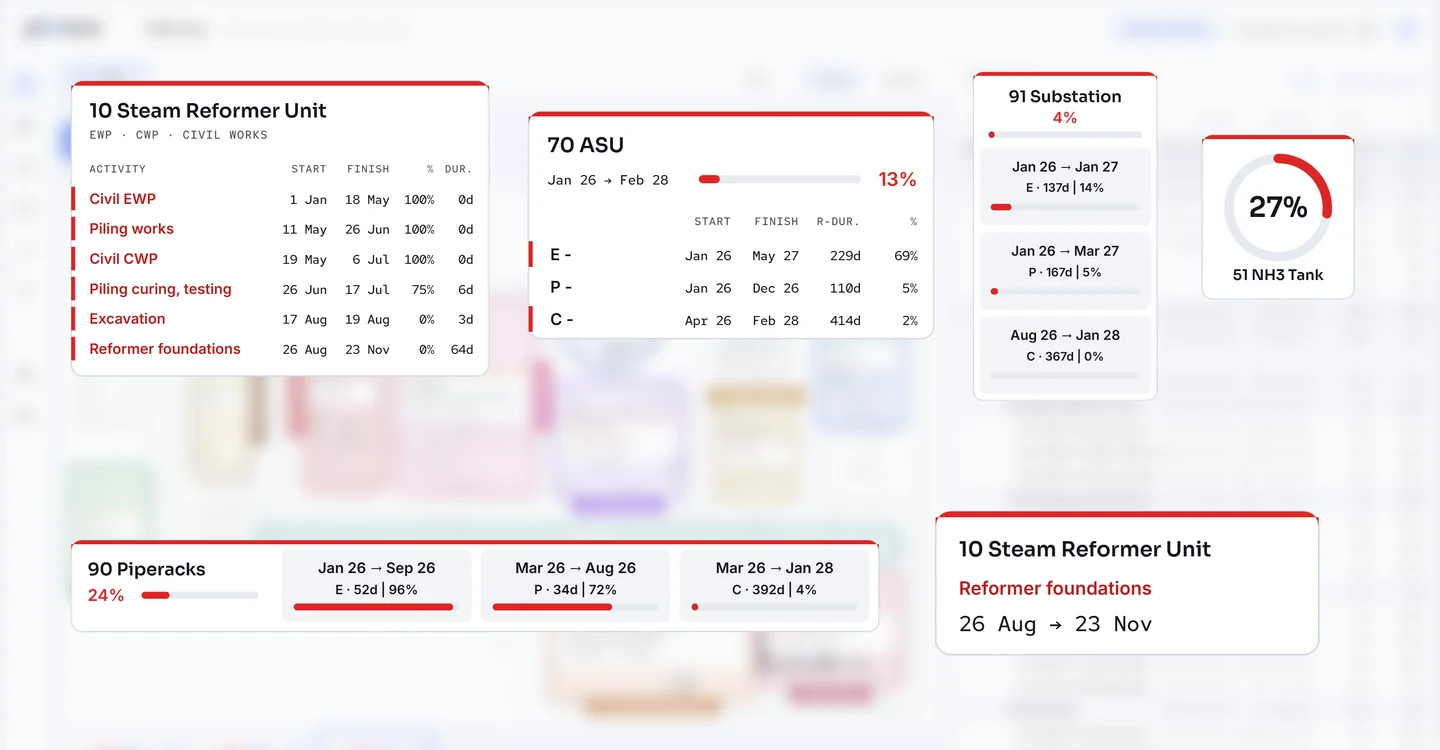
The schedule on the site layout: a visual alternative to reading the Gantt.
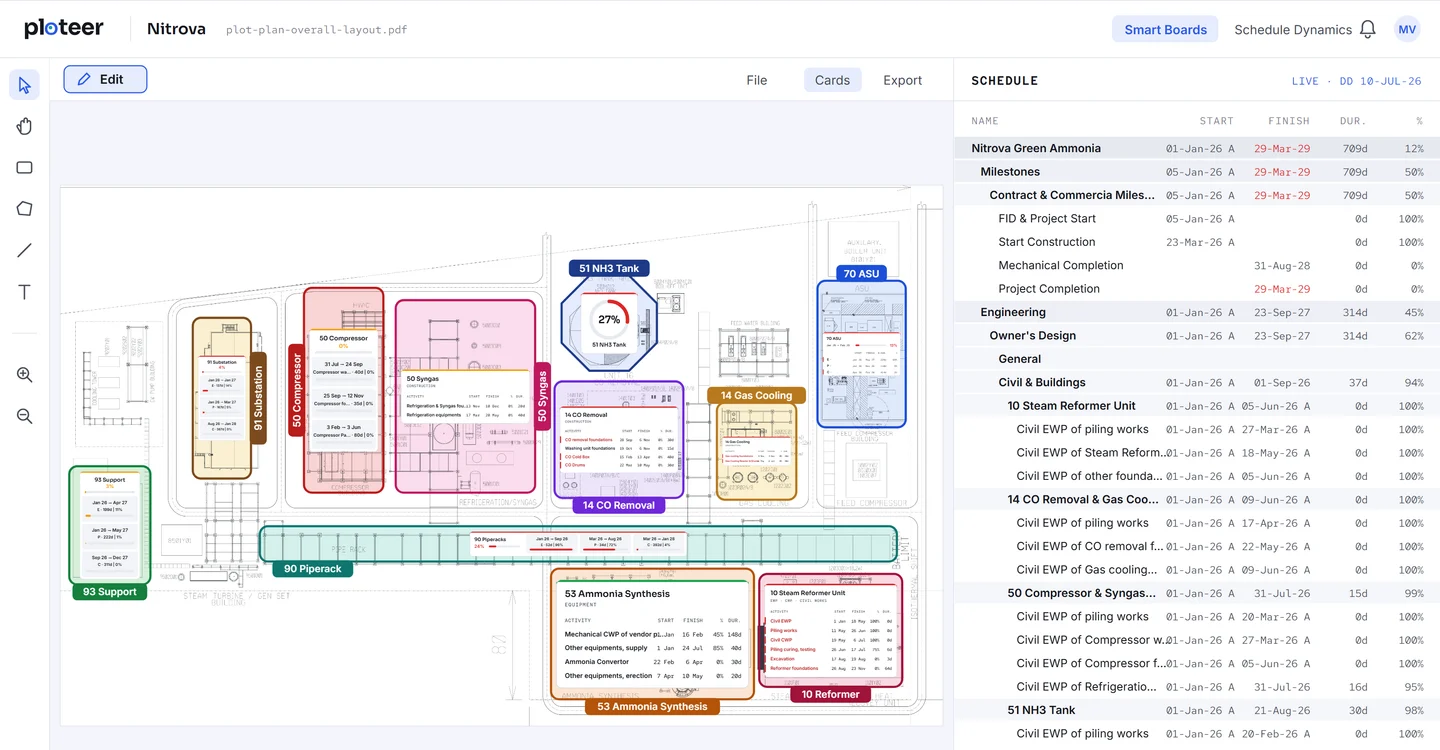
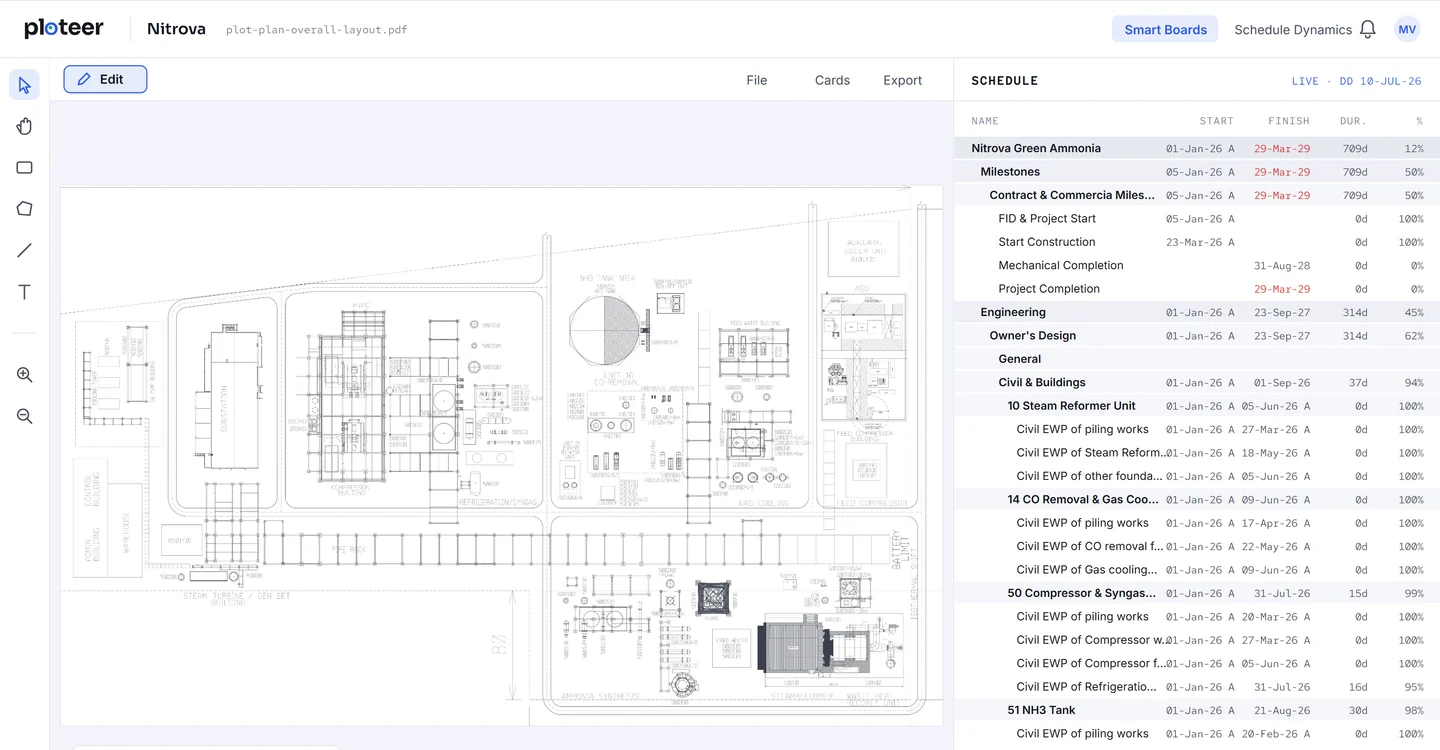
Smart Boards
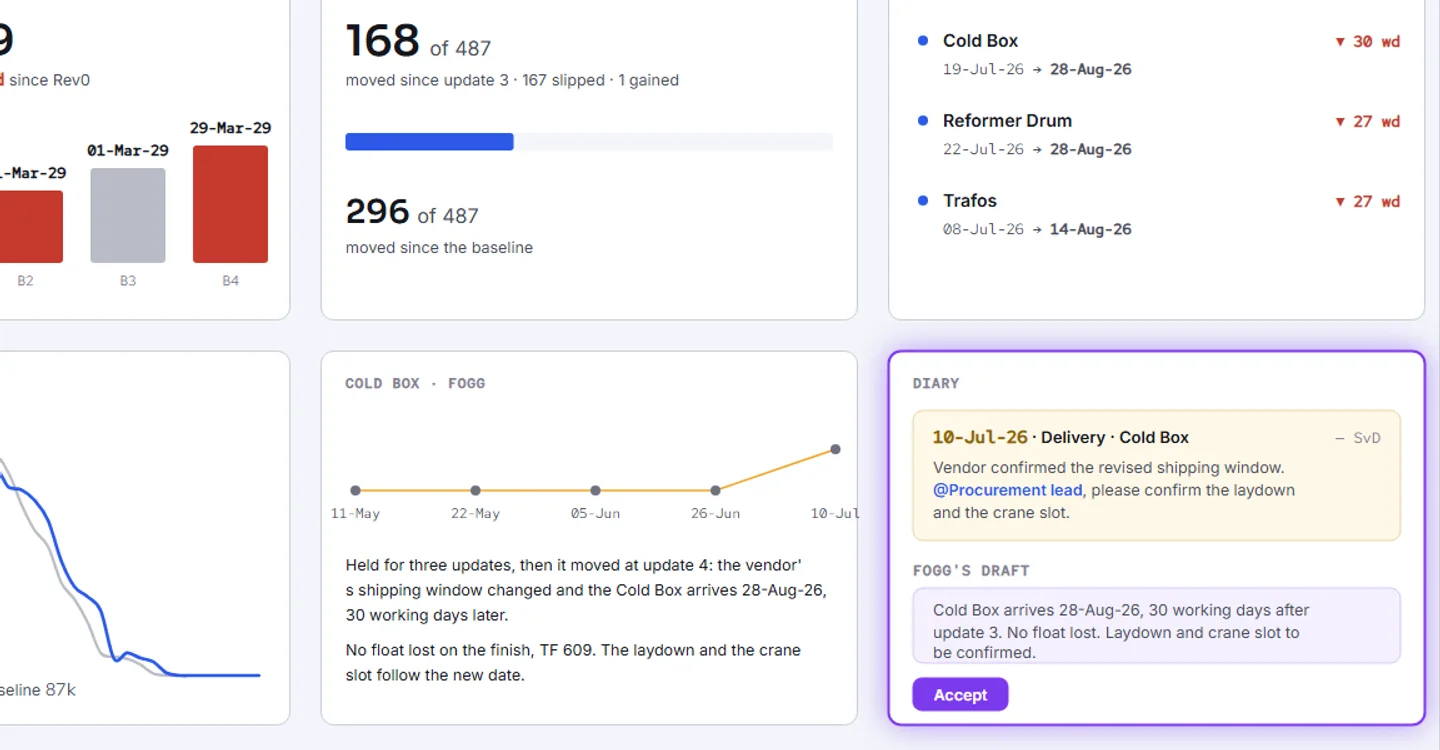
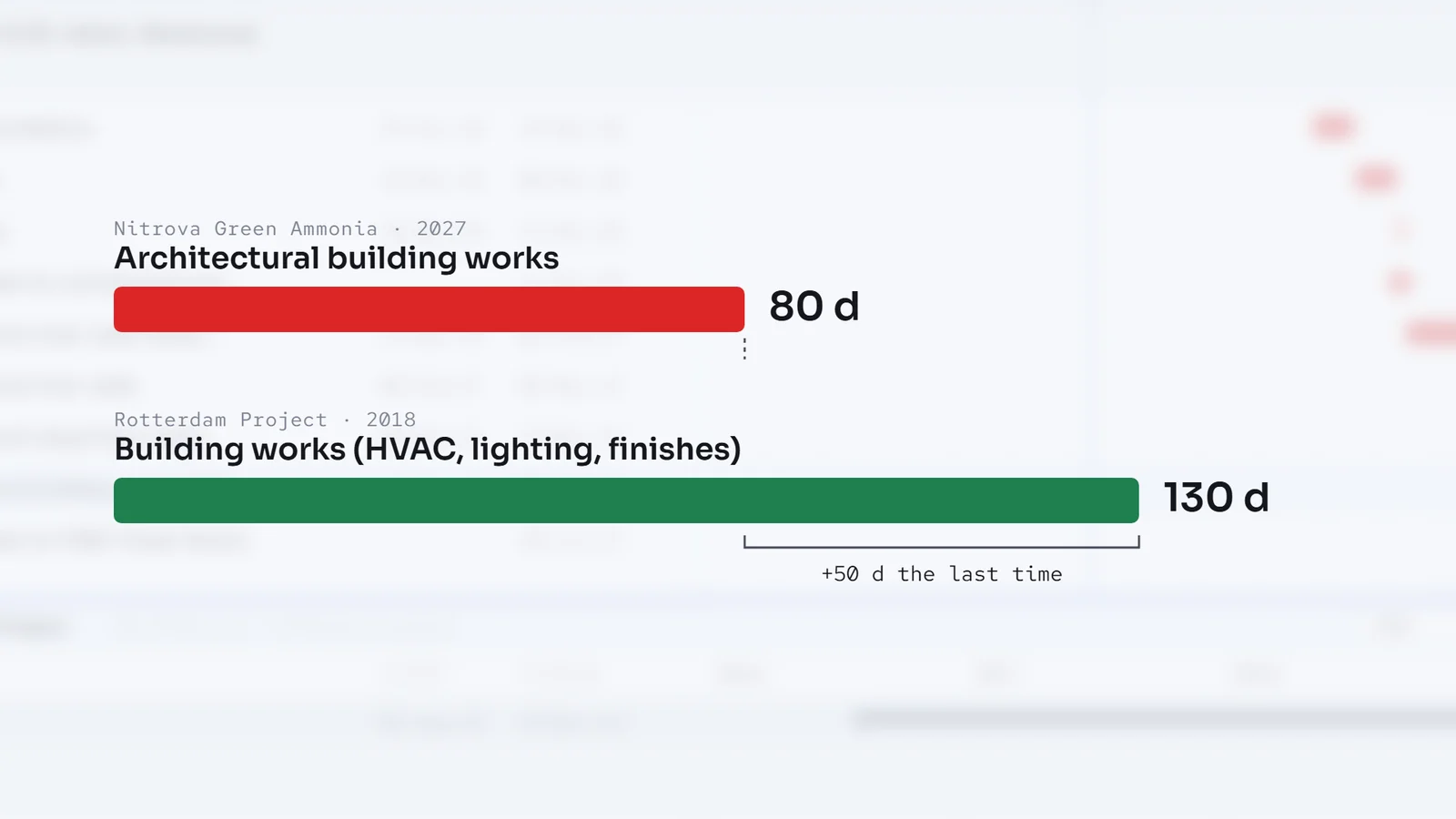
The analytic skills a planner needs. The app finds the reasons, the planner keeps the result in focus.
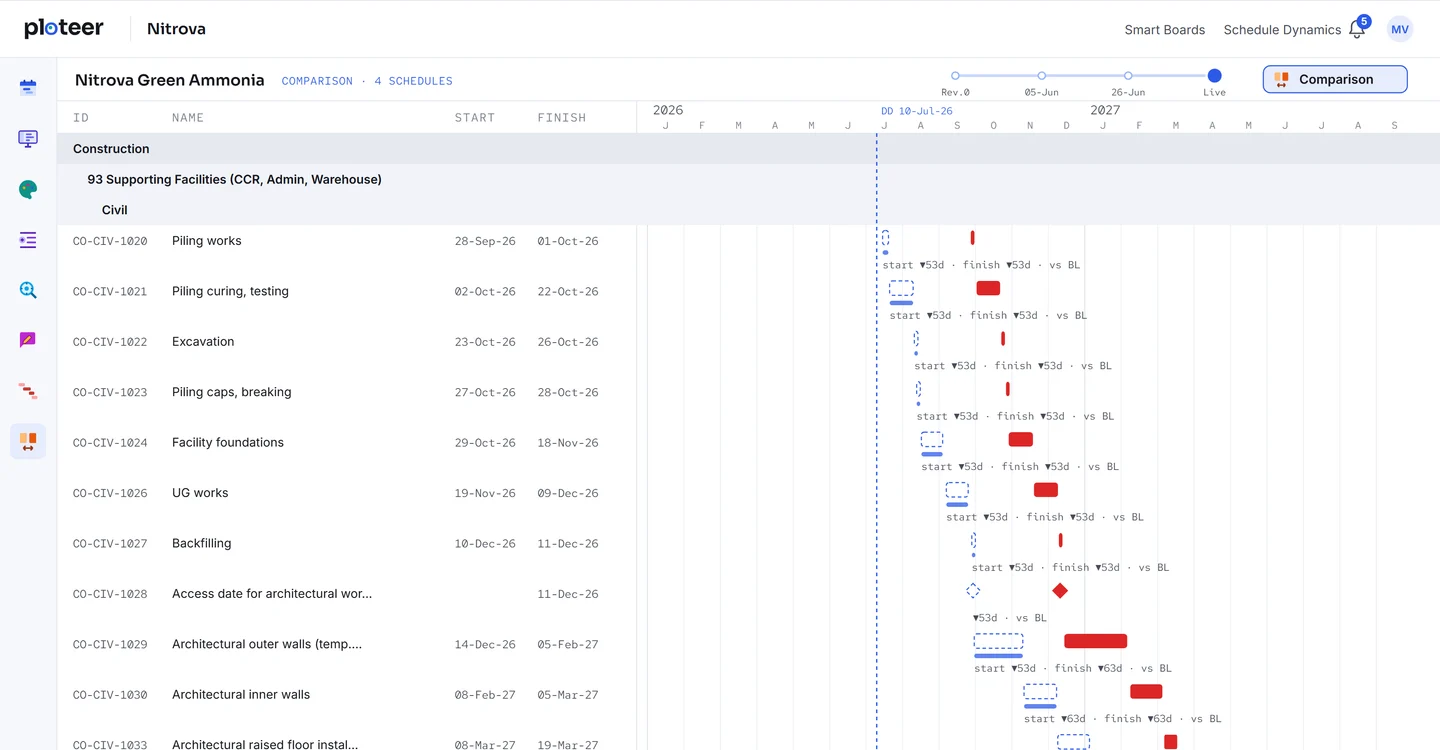
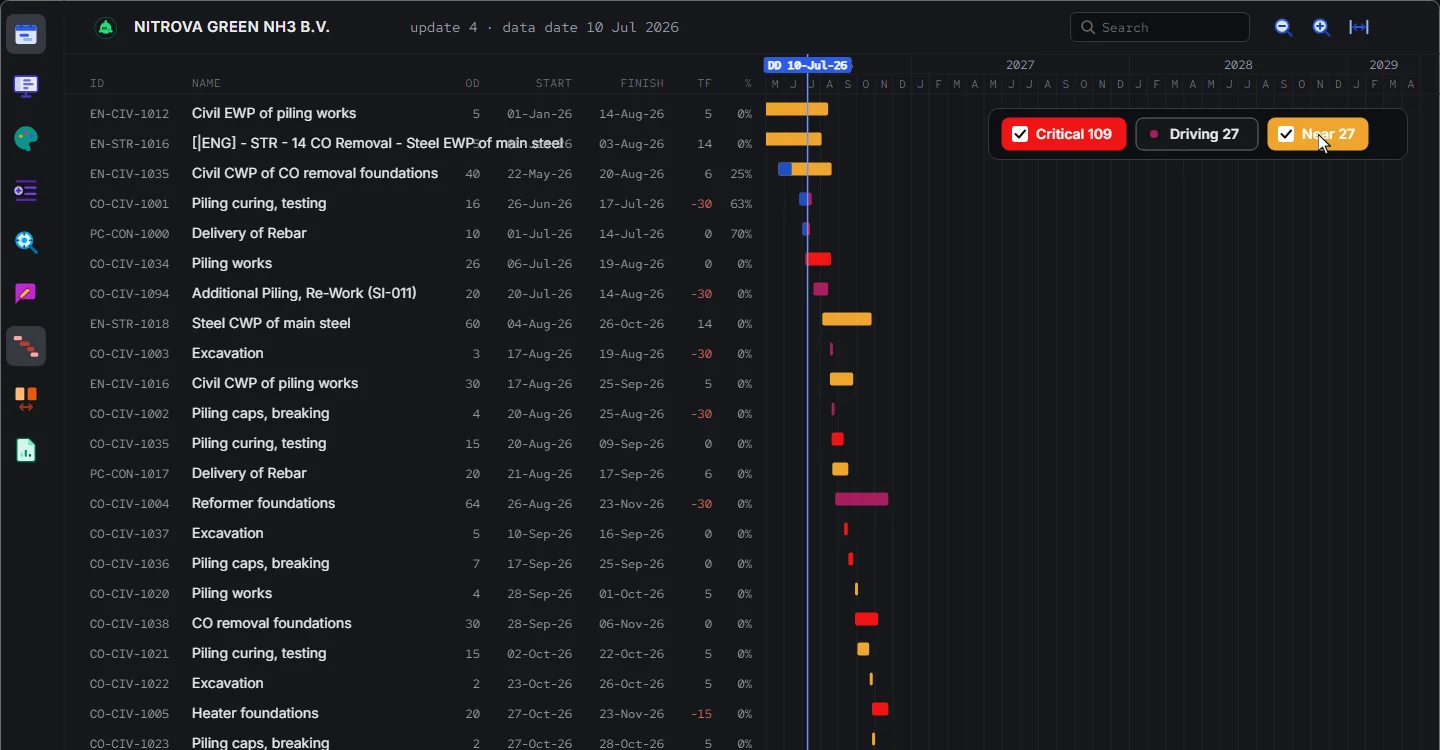
Schedule Dynamics
Fogg’s role in the app is the hard work, the time-consuming work.
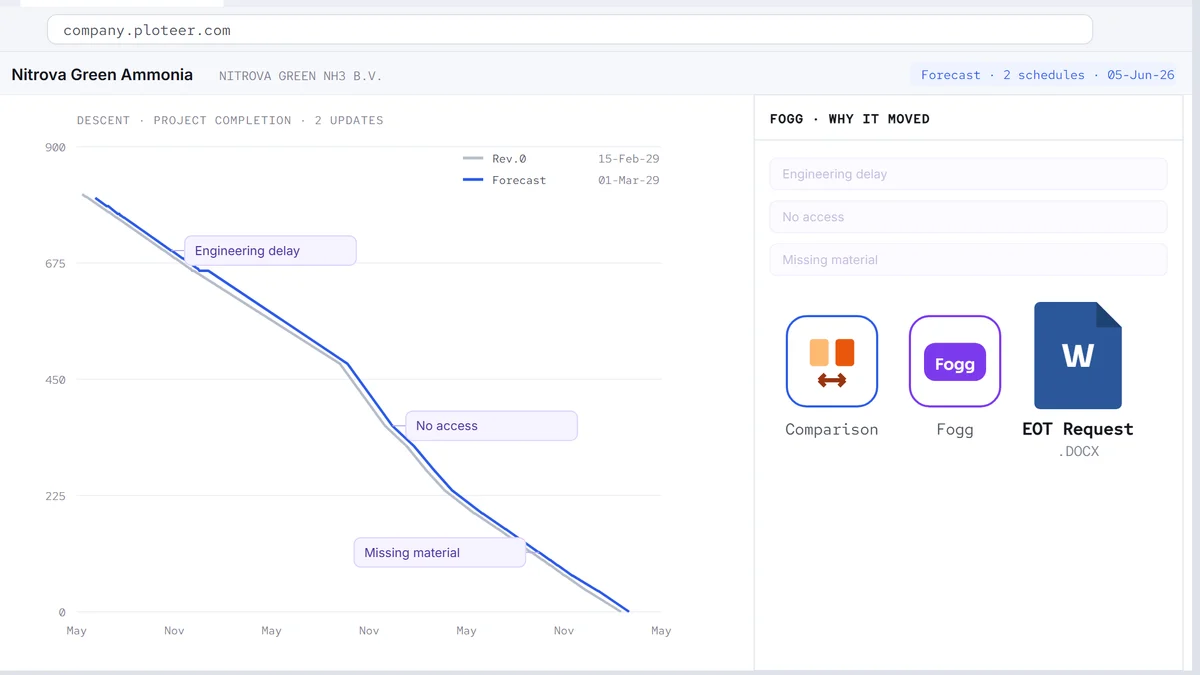
Fogg in the app
Let us meet for the demo.
Book a demo