Every date has a driver.
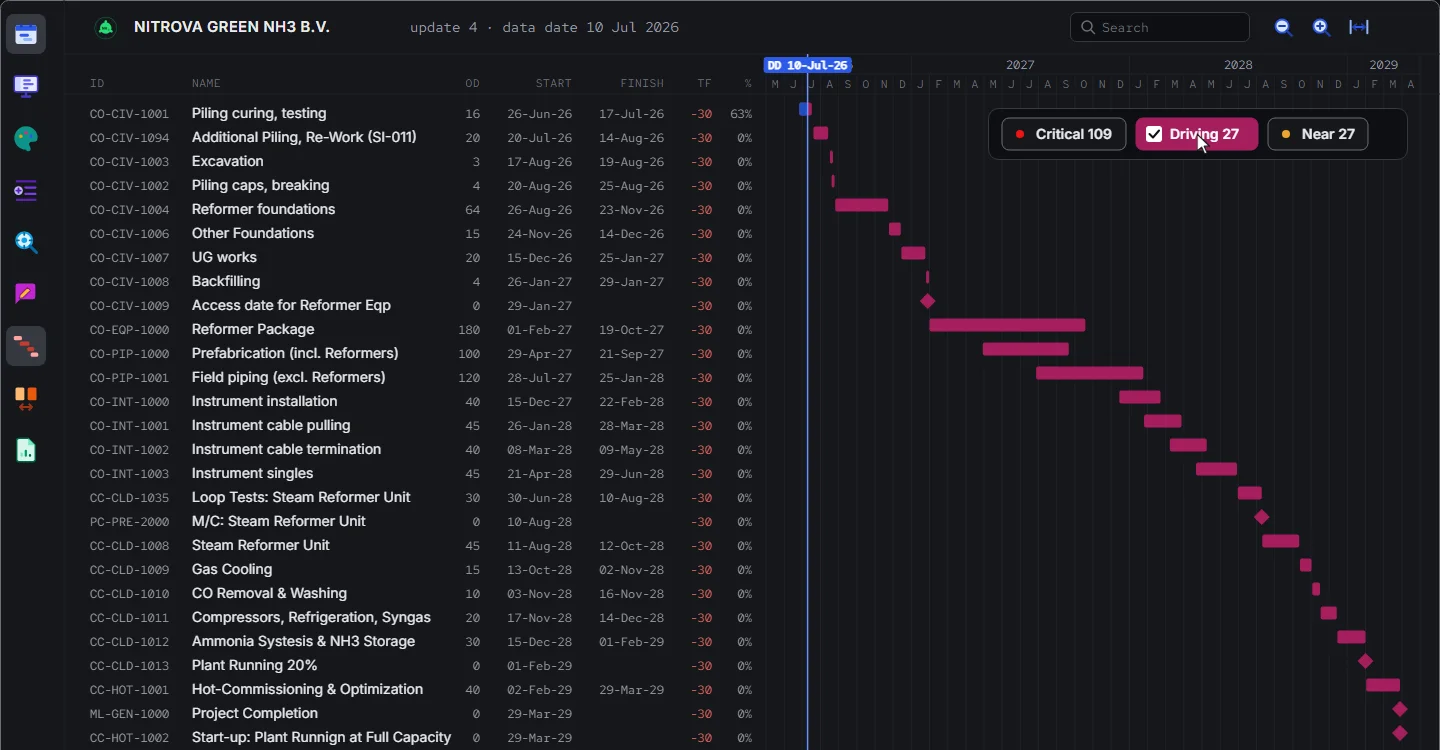
Pick any activity or milestone and get its driving chain right away. And of course the backbone that drives the whole project, and how it changed from version to version.
Every date has a driver.
Driving chain and events in it.
- What is driving the finish today?
- What is driving this milestone, or this one activity?
- Which activity on the chain moved since the last update?
- Is my work on the driving path?
- When did the path change, and what took over?
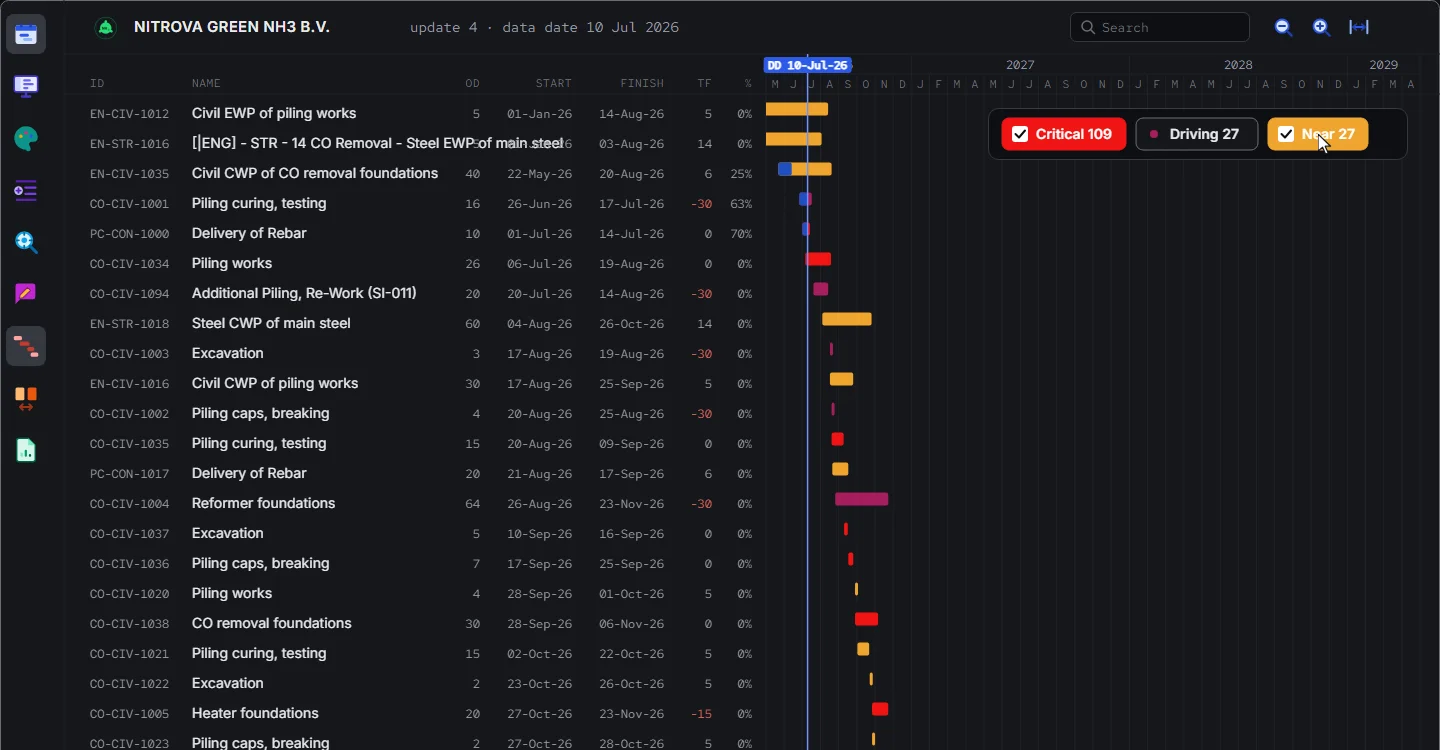
- Can we see the chain alone, or with the critical and near-critical paths, right now? Without the rest of the schedule around it?
- Can you animate how the path changed?
- 1
Pick an activity or a milestone.
- 2
Get its driving chain, right away. Isolate the path to see it alone.
- 3
Play the updates, and watch how the path changed.
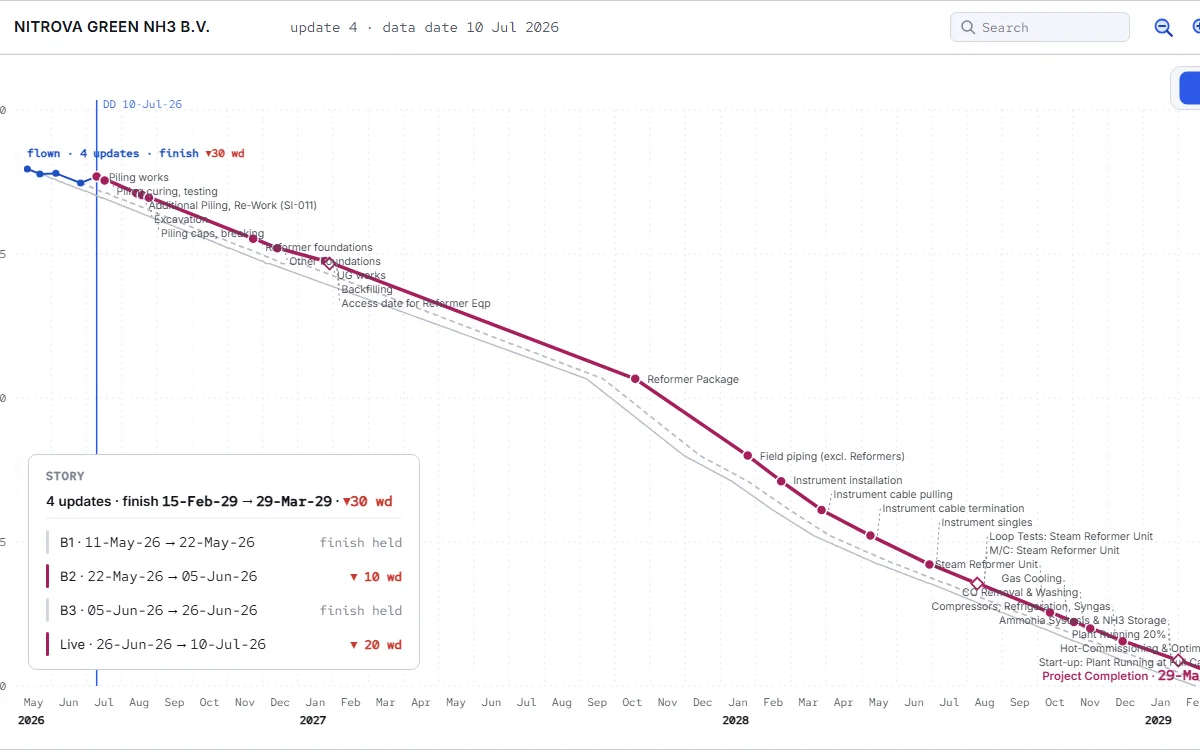
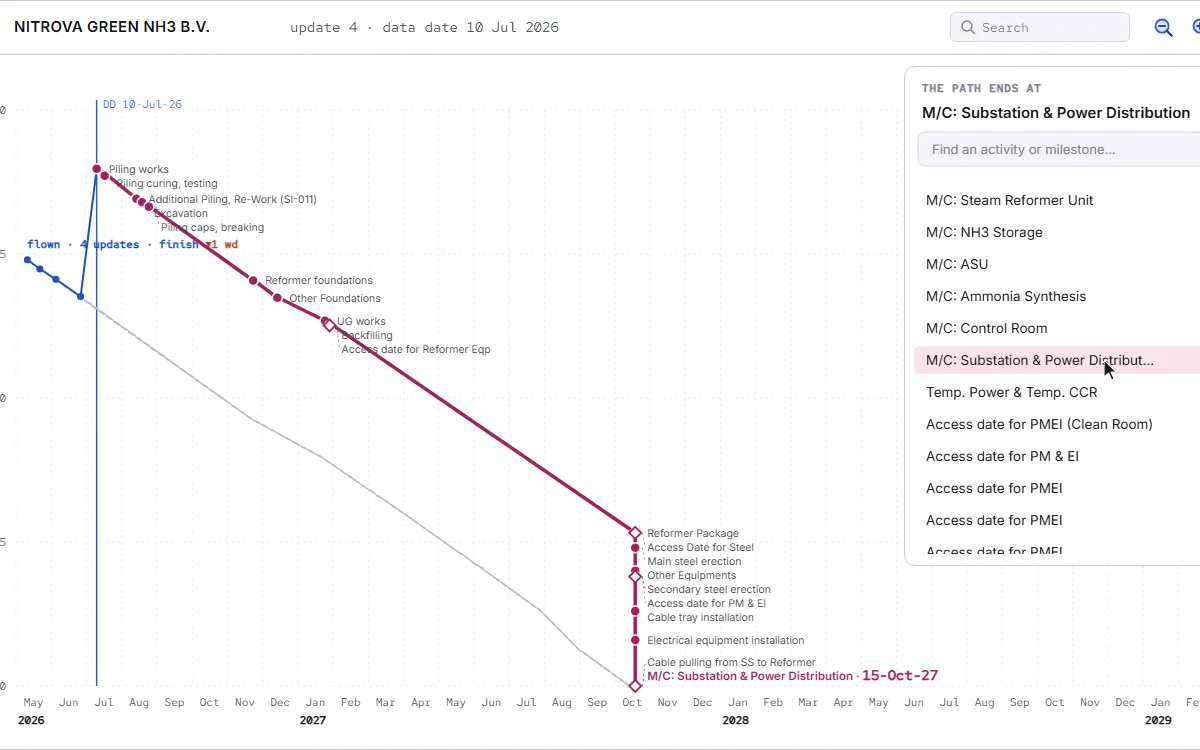
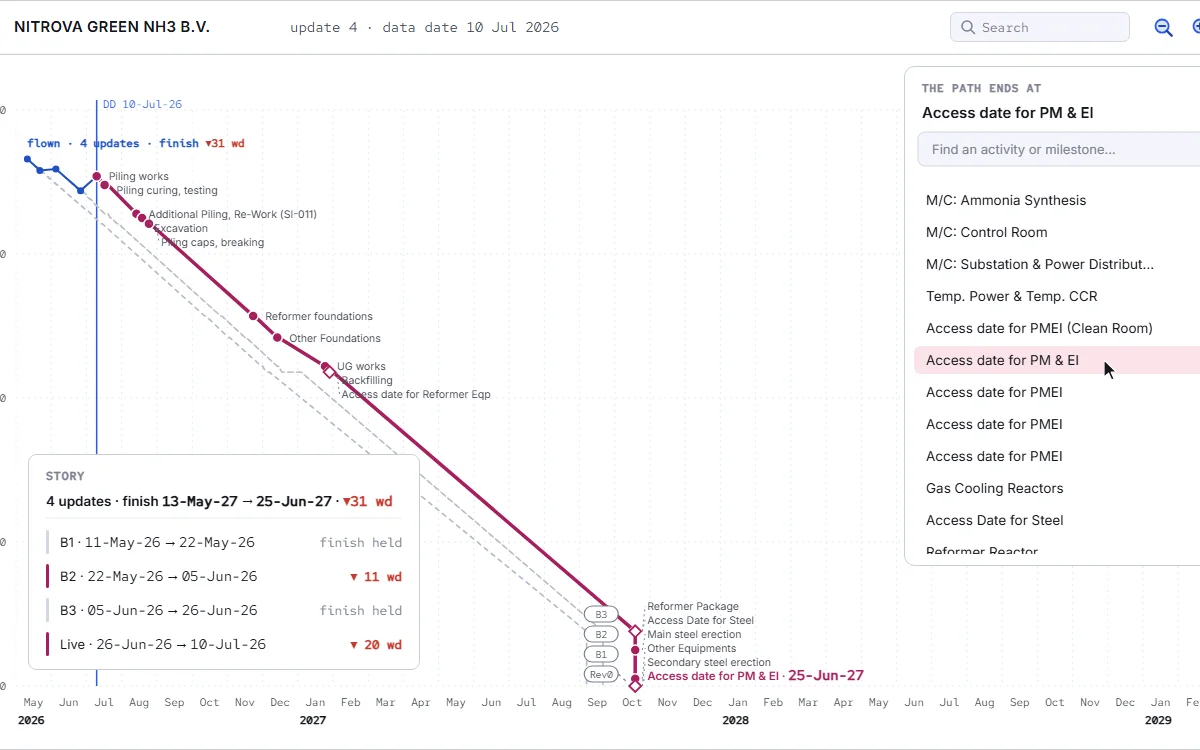
The question comes in every review: what is driving this date? The answer is in the logic, link by link, and finding it by hand takes patience and a quiet afternoon. In ploteer you pick, and the chain is there: every activity that sets its date, in order, and which of them moved since the last update. Fogg names what moved it: where the delay started, and in whose scope.
You can focus on the path of one activity as well: what it waits for, and what drives that. Isolate Path takes the rest of the schedule away. What stays is the chain alone, or the chain with the critical and the near-critical paths beside it, clean enough for the screen. And you can see the path of the baseline too, its activities and its links, in their own time.
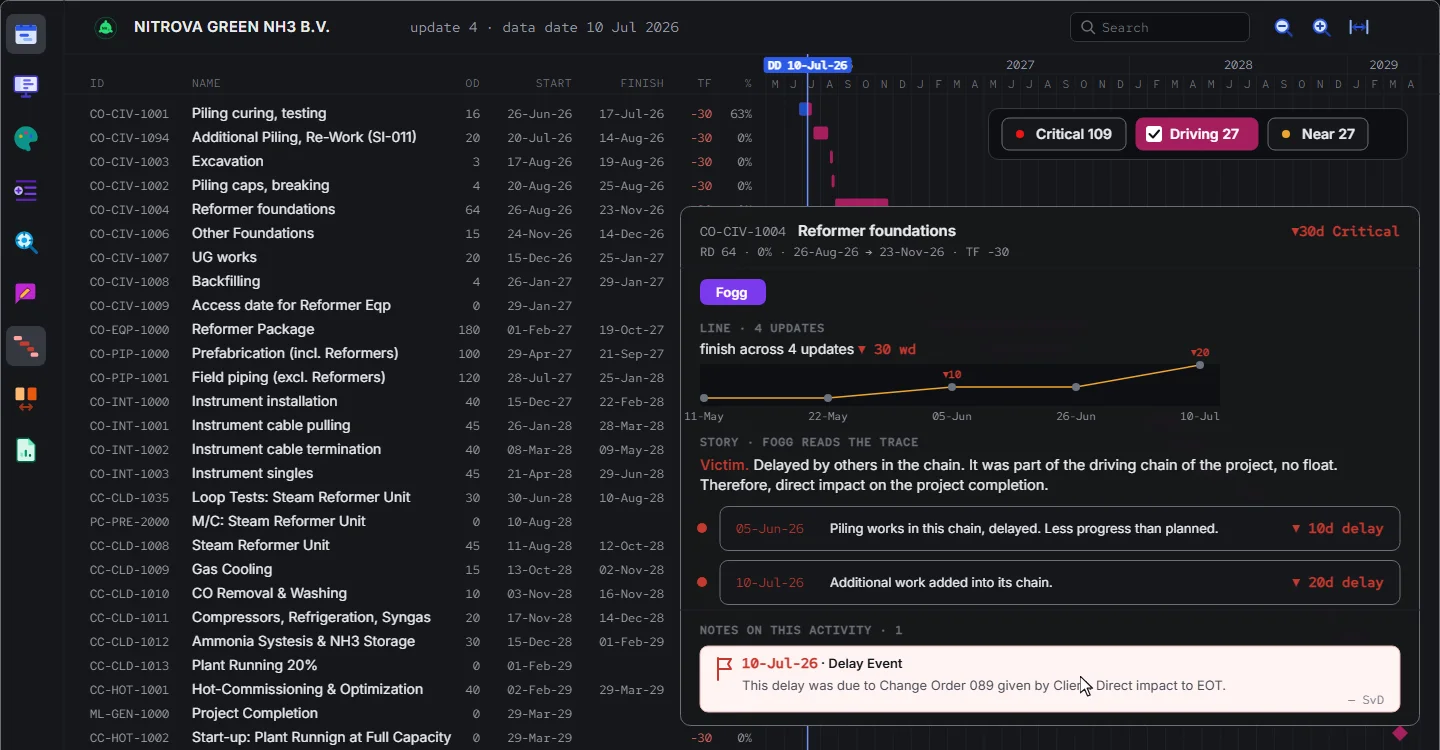
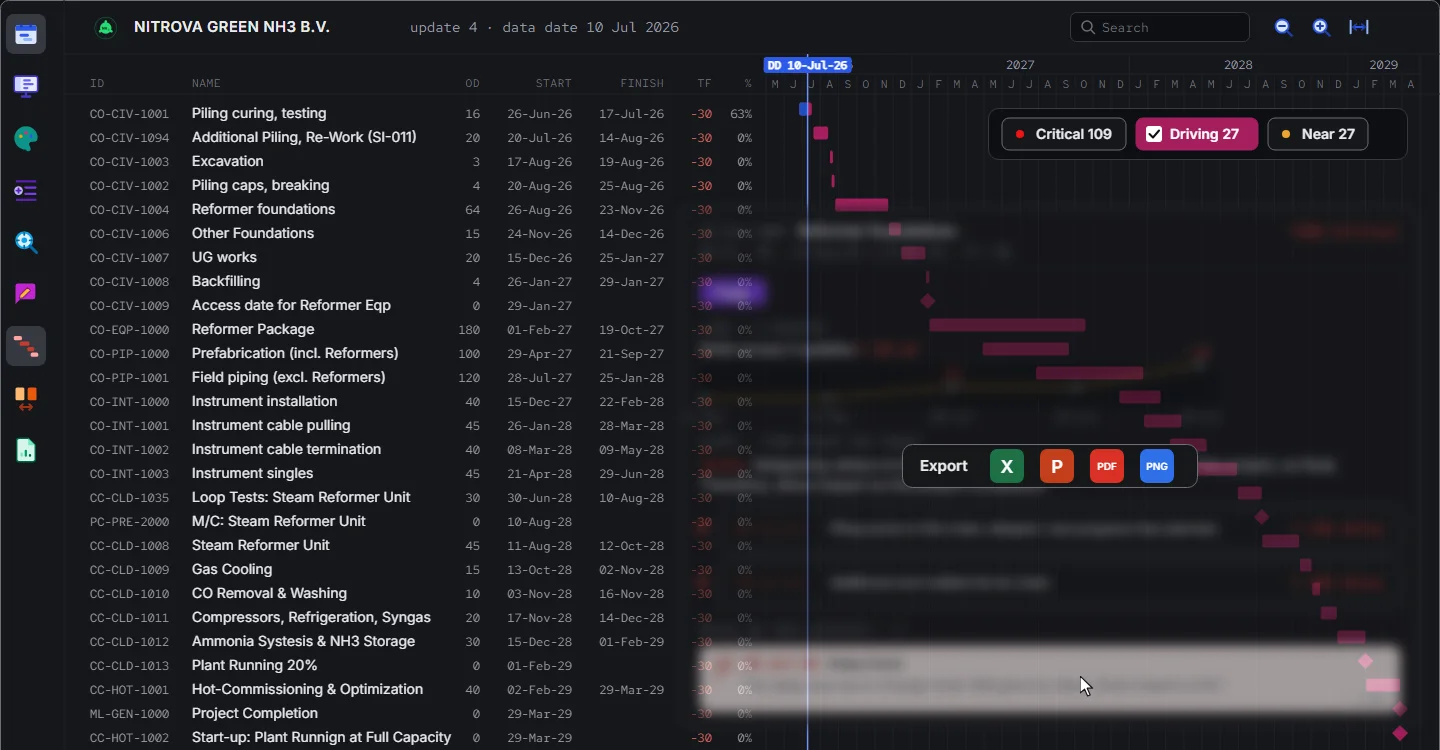
The backbone of the project does not stay where it was, and the change is where the questions start. Descent animates it, one version at a time: the path as it was, the activity that took over the driving, the finish it led to. Where the path shifted, Fogg tells you why, and the note stays on the activity. Present mode puts it on the wall for the meeting, live.
With ploteer the team does not spend its time on the finding. It spends it on the result, and the reasons are brought to it. The team sees whether its work is on the path. The leads know what to push.
Let us meet for the demo.
Book a demo