Every update, checked the moment it lands.
Every update is checked the moment it is imported, in six families: DCMA's 14 points, GAO's critical path checks, update integrity, logic quality, NDIA's execution indices and P6's own scheduling options. Seventy checks, each against a named threshold, with the activities behind every count, kept for every update so the trend shows itself.
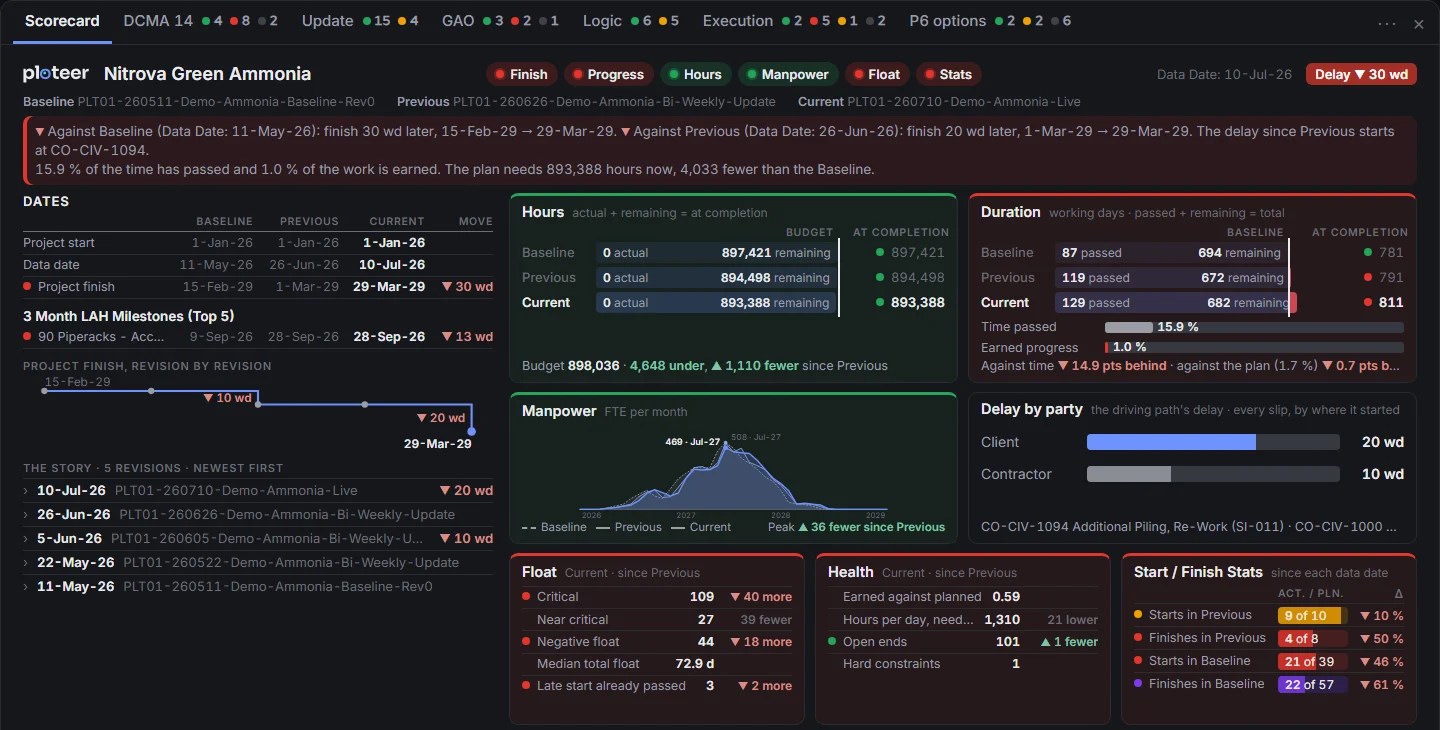
The update on one slide, with its lights.
15.9 % of the time has passed and 1.0 % of the work is earned. The plan needs 893,388 hours now, 4,033 fewer than the Baseline.
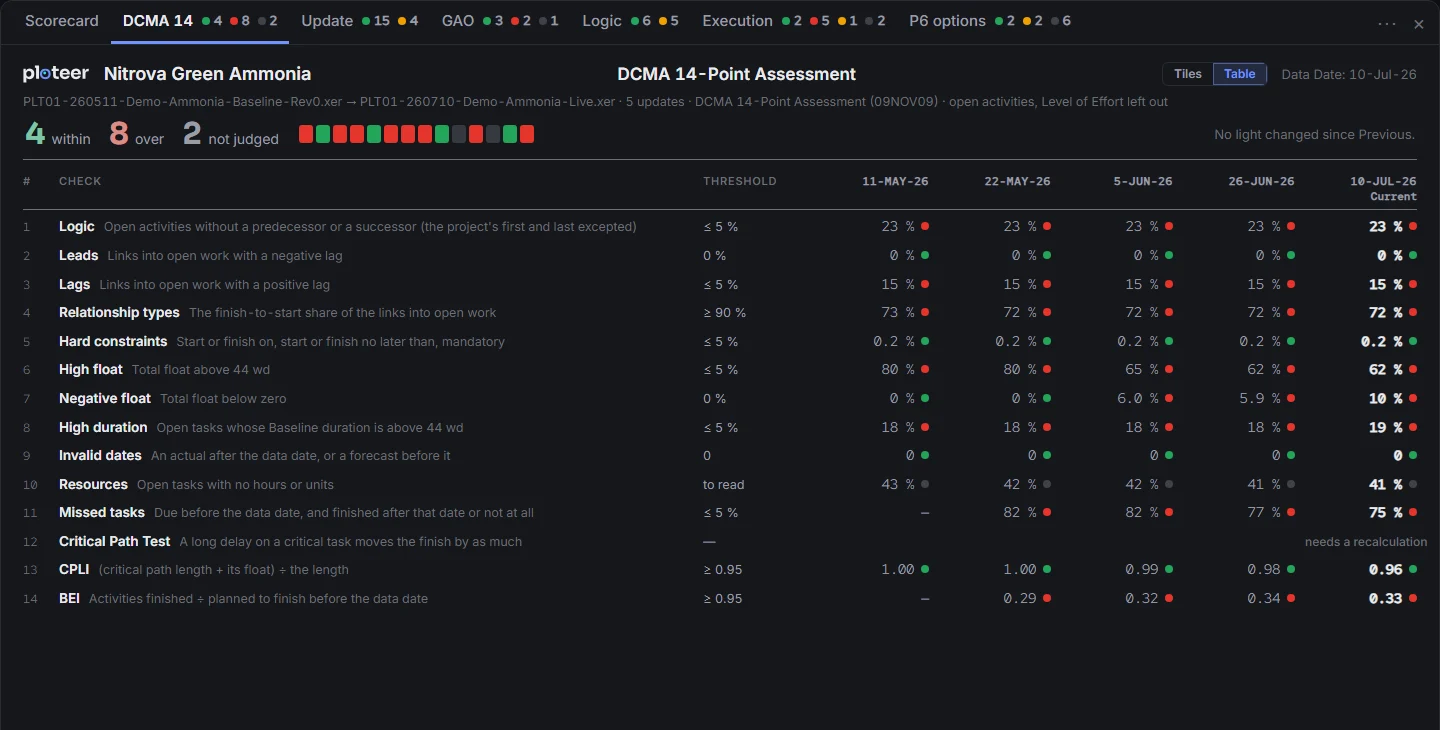
DCMA's fourteen points, on DCMA's own thresholds.
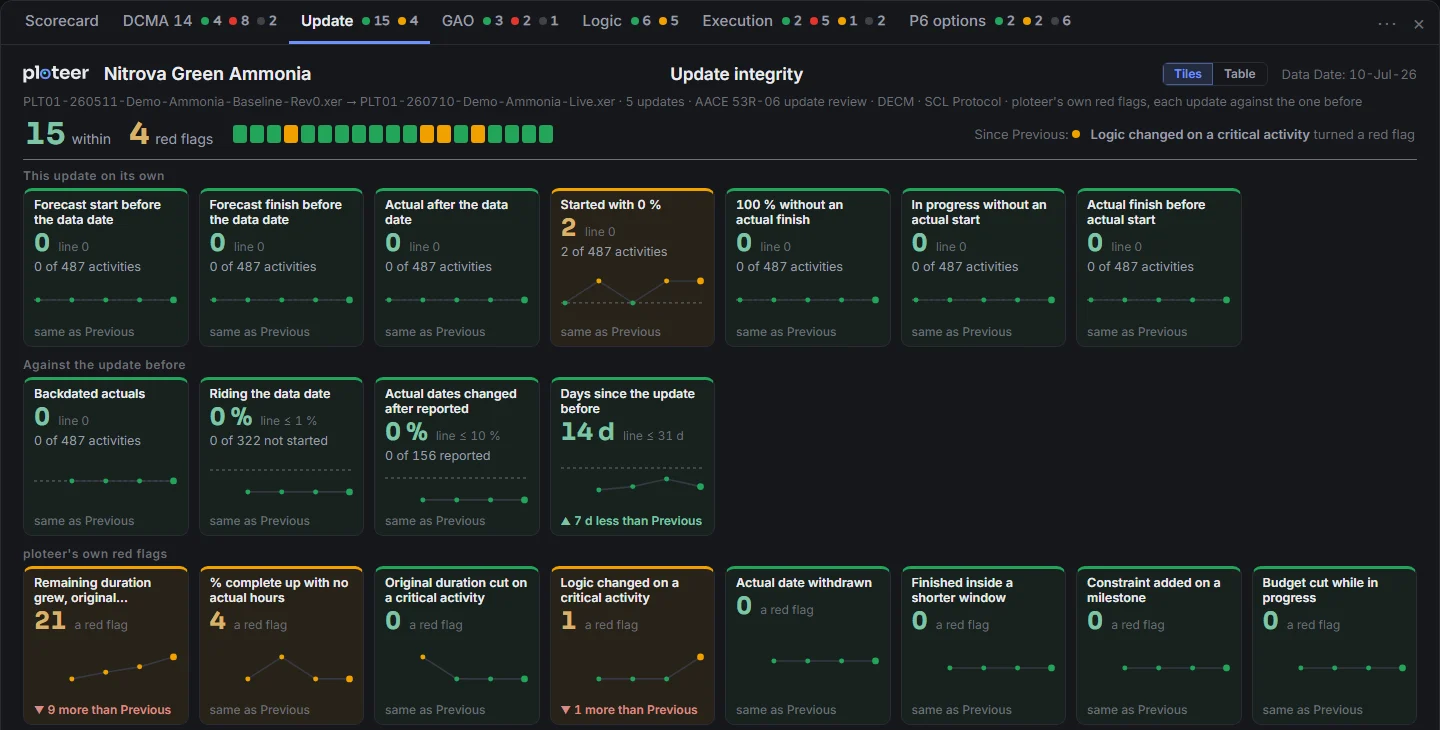
Was the update statused and scheduled cleanly?
Is the critical path valid, as GAO asks?
The logic, check by check.
Is the work finishing as forecast?
The scheduling options of every update, side by side.
- Is this update fit to accept, or should it go back for revision?
- Was it scheduled to its data date before it was sent, or are forecast dates left in the past?
- Were actuals backdated, or changed after they were reported?
- Did a scheduling option change since the last update, such as retained logic to progress override?
- How does it read on DCMA's 14 points, and which activities sit behind each count?
- Is the work finishing as forecast, and where does the finish land at this pace?
- What turned red since the last update, and where?
- Did the resubmission fix what went back with comments?
- 1
Import the update. All seventy checks run the moment the file lands, on the update alone and against the one before. Nothing to run, nothing to set up. ploteer reads the XER and never writes back to P6; a resubmission with the same data date is kept as a revision of that update.
- 2
Read the lights. One window, a tab per family of checks: each check's light, its reading against its threshold, its trend over the updates and its move since the last one, in tiles or as a table with every update a column. A click shows the activities behind a count, on the schedule.
- 3
Set, then send. Where the scheduling specification has thresholds of its own, set them; each names whose it is. Filter the schedule to a check and export the grid for the review comments, activity by activity. Or ask Fogg how the update reads: Fogg answers from the lights and the counts.
The checks of an update review, run the same way on every update, from every submitter.
A reading against its threshold for every check, and the activities behind every count.
Each family reads the update as its source sets out: DCMA's 14 points on the incomplete activities, Level of Effort left out; GAO's critical path checks from best practice 6; the update review of AACE 53R-06 against the update before; NDIA's execution indices in NDIA's bands. Every reading sits against its threshold, and the threshold names whose it is: DCMA's, GAO's, NDIA's, DOE's or NASA's, or ploteer's own where no published figure exists, with the source one click away. A threshold the project changed is marked wherever it shows.
Because every update is read on import and kept, a check is never one number. It has a trend: the remaining durations that keep growing, the float that keeps draining, the key milestones slipping again. The questions of an update review are asked every time: forecast dates left in the past, backdated actuals, a scheduling option changed since the last update.
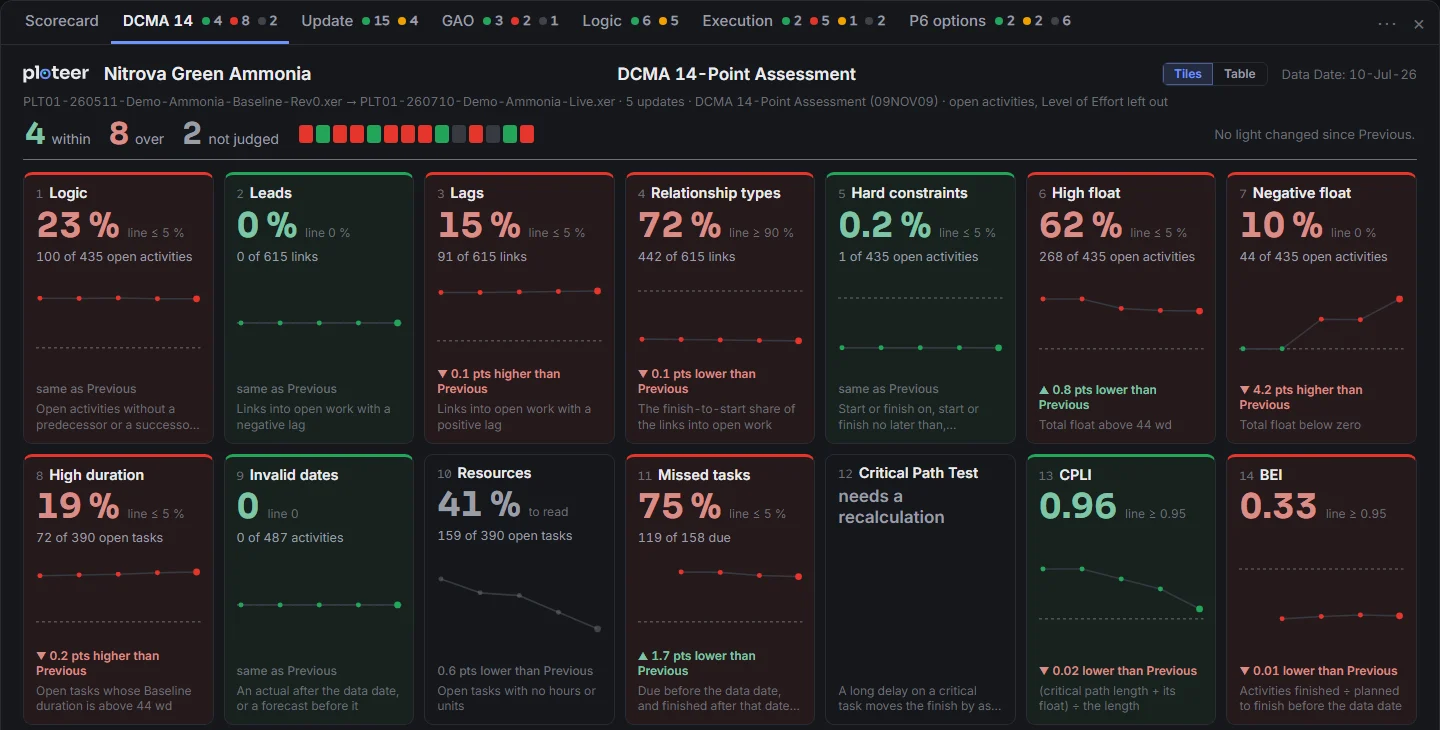
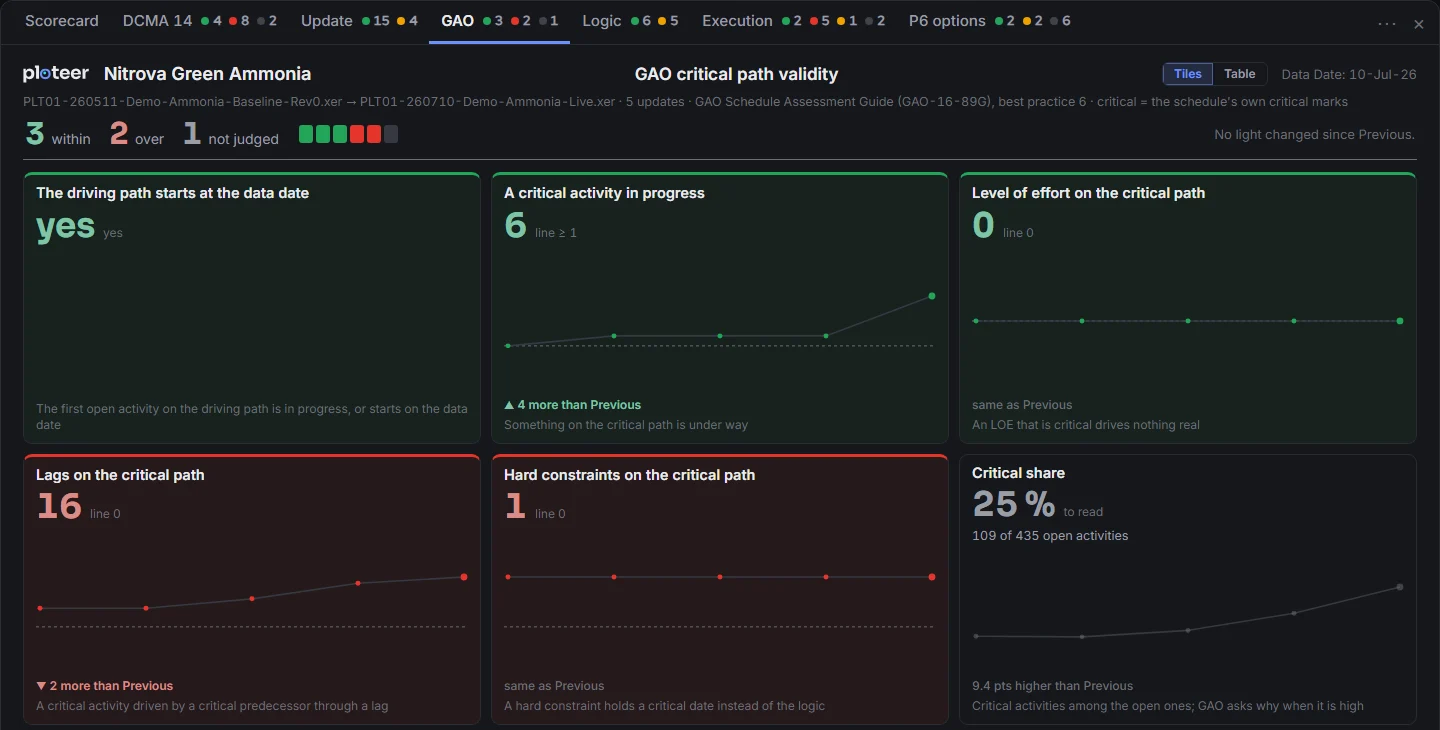
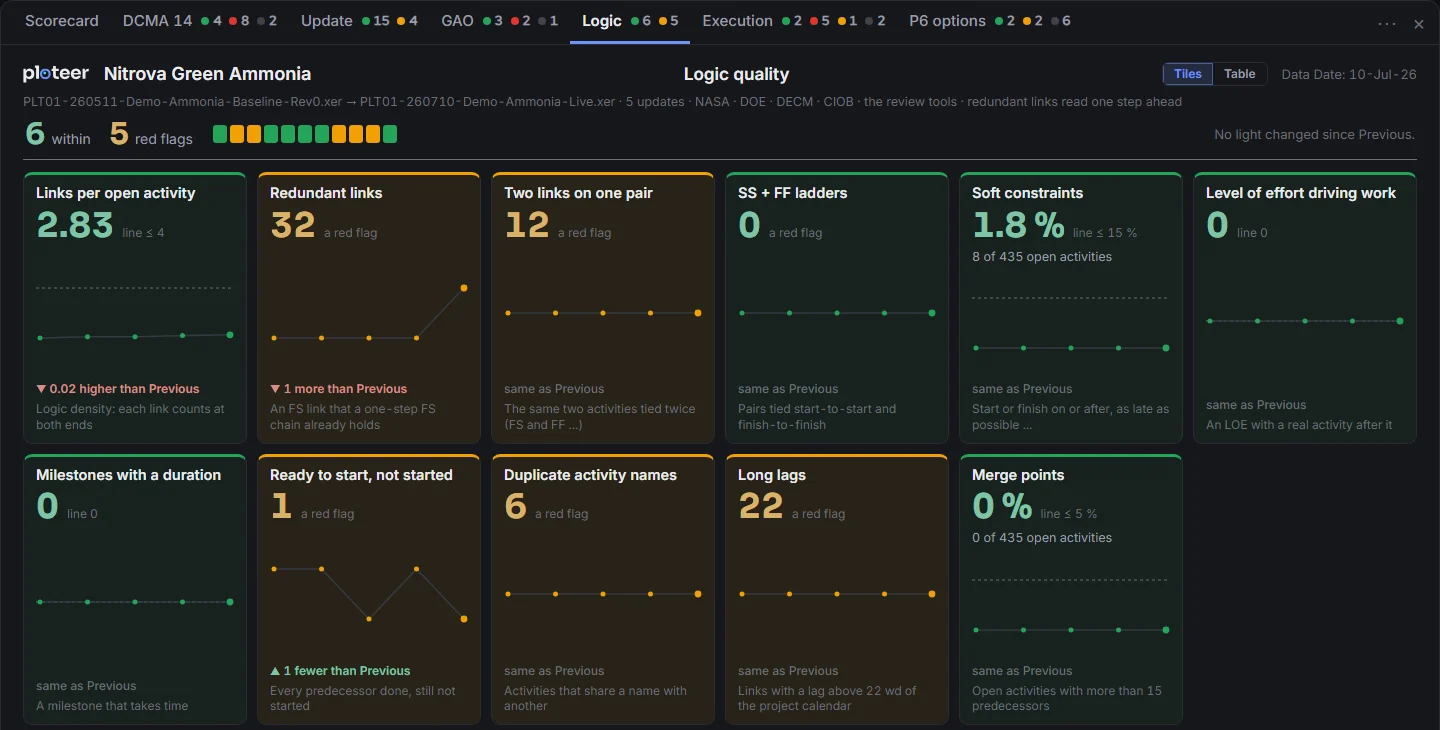
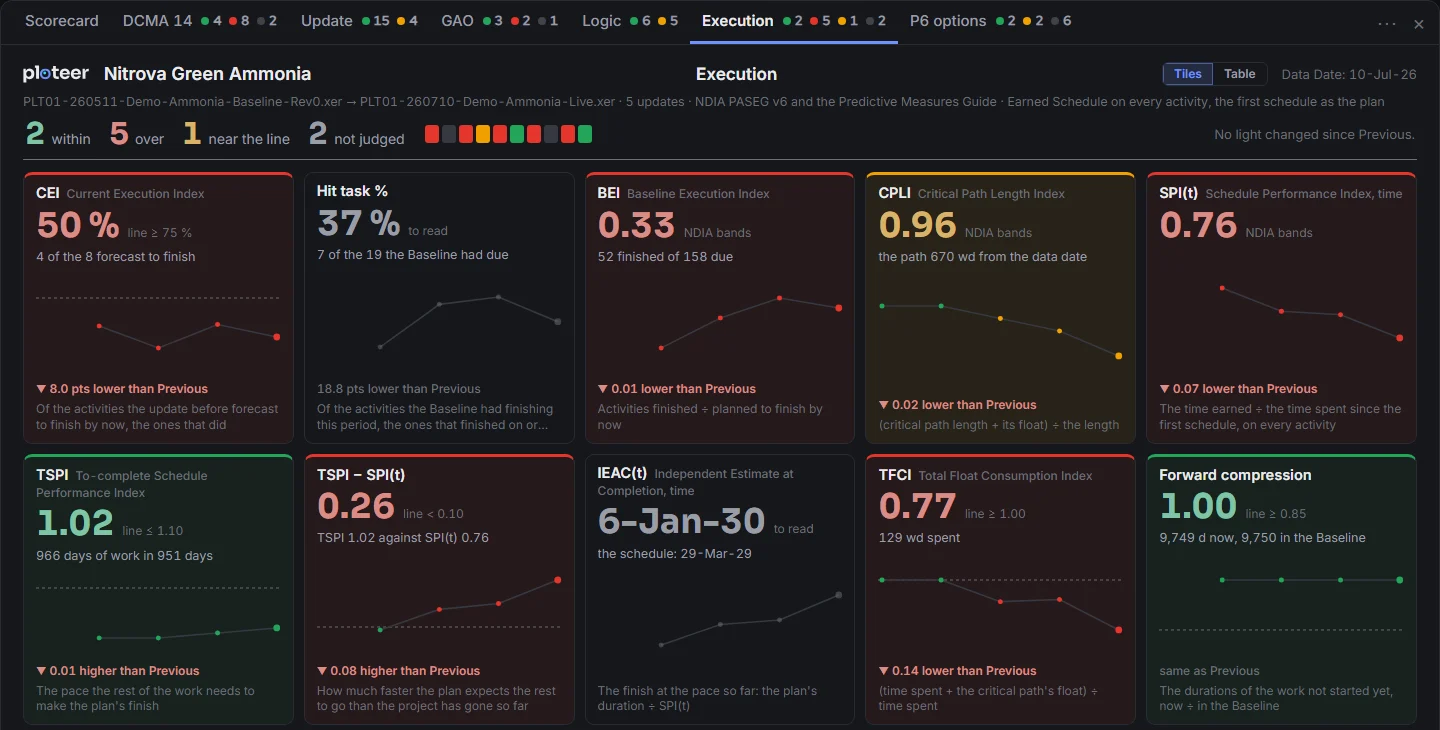
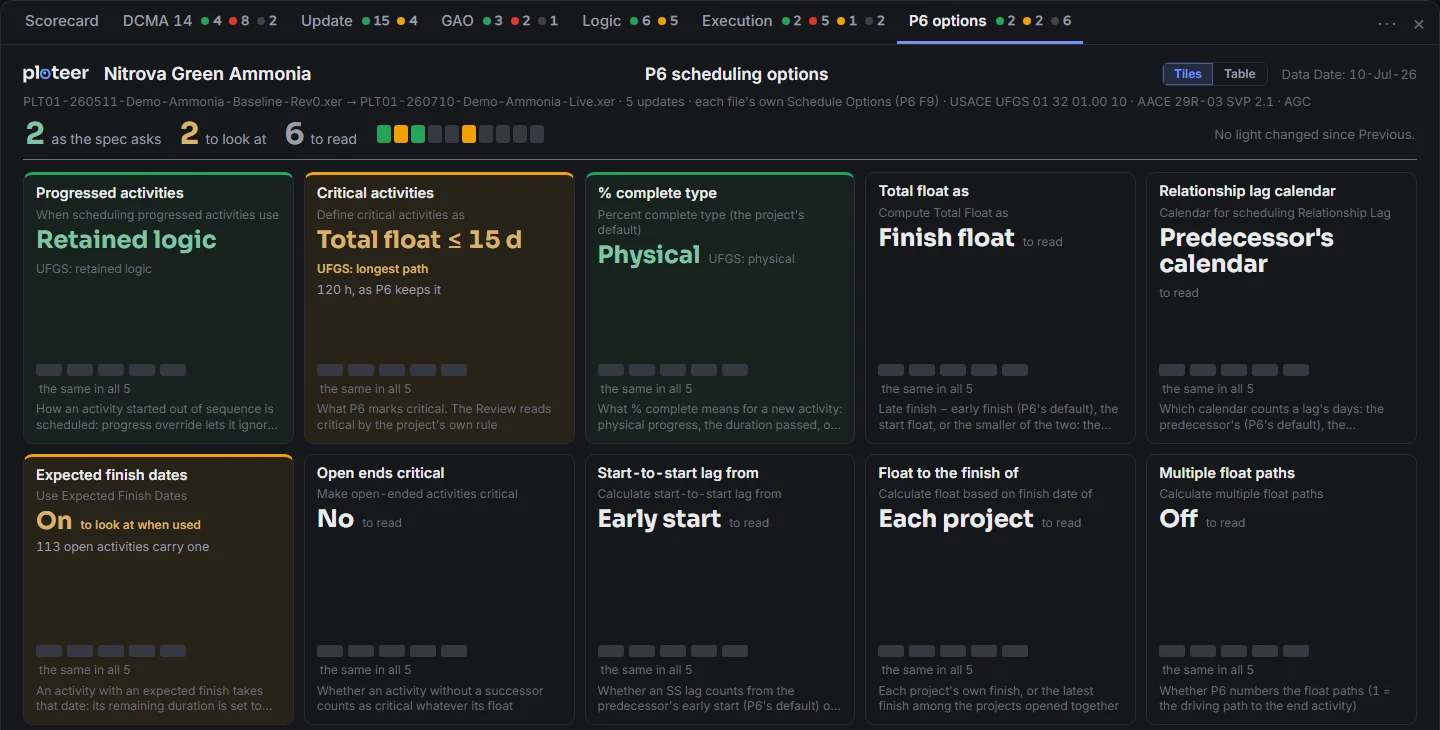
ploteer counts and points; the reviewer judges. There is no single number for the schedule: a red light is a question to ask, and the answer is the reviewer's. The Critical Path Test needs a recalculation, and its tile says so rather than guess; the basis of schedule, the durations and the risk stay with the reviewer. Beside the checks, ploteer walks the longest path itself from the file's logic and holds it against P6's own critical flag.
What is seen goes out: the tables to Excel, a sheet per family, the tabs to PDF or PowerPoint, a page each, ready for the review report and the board.
An extension of time is measured on the updates. Checked as each one arrived, and kept, they show which updates hold up and which come with a caveat.
Let us meet for the demo.
Book a demo